Handbook · Methods · 14 min read
Getting Things Done (GTD)
The brain is brilliant at generating ideas and terrible at storing them. GTD gets everything out of your head and into a system — and hands back your peace of mind. Including a complete Notion walkthrough.
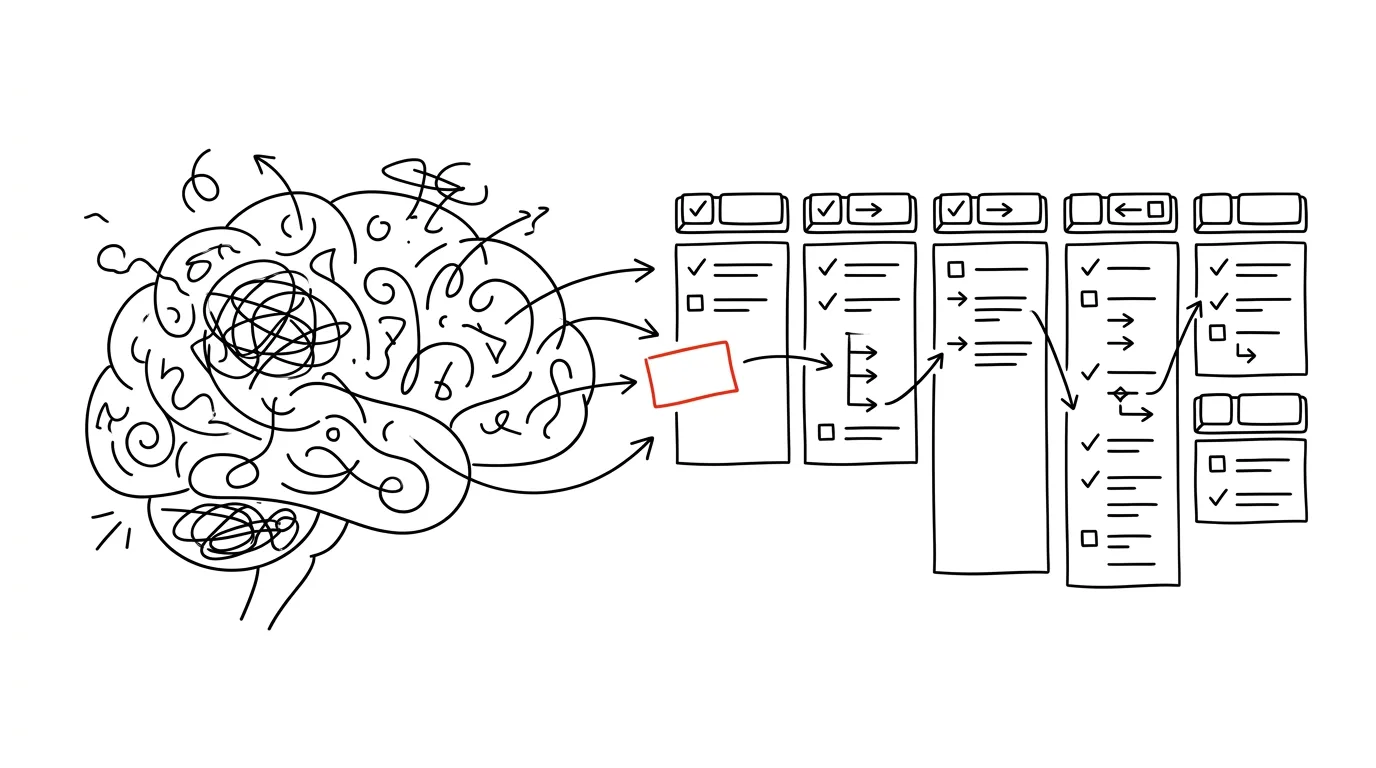
It's evening, you should be relaxing, but your mind refuses to settle. Unfinished tasks keep resurfacing, the email you meant to send, the meeting you need to schedule. Those moments are exactly why GTD exists — David Allen's Getting Things Done.
GTD isn't just another time-management system. It's a comprehensive approach to handling the demands of modern life while keeping a clear head.
Why GTD works
Our brains are exceptional at generating ideas and solving problems, but they fail miserably as task storage. Every commitment you carry in your head creates what David Allen calls an “open loop” — like a program running in the background, eating your working memory. The more open loops, the slower the system. In a brain, that means mental fatigue, stress and reduced focus.
So the core principle of GTD is simple but powerful: get things out of your head and into a system you trust. It isn't about remembering more — it's about remembering less and still having everything under control.
The five pillars of GTD
- 1CaptureEverything out of your head and into the inbox — immediately, without sorting.
- 2ClarifyDecide what each item means and what to do about it.
- 3OrganizePut things where they belong: projects, actions, waiting for.
- 4ReflectBriefly every day, thoroughly every week — otherwise the system dies.
- 5EngageWith a clear head, choose by context, time and energy.
Capture is like always having a safety net for your thoughts. Whether you use digital tools like Notion or Todoist or a classic notebook, what matters is always being able to capture any thought or task quickly. It doesn't matter how important or trivial it seems at that moment — if it's taking up space in your mind, it deserves to be captured.
Clarify runs every captured item through a simple decision process: Is it actionable? Can it be handled in under two minutes? Does it take more than one step? Every item goes through the funnel and finds its place.
Organize gives things structure. It isn't about building elaborate folder hierarchies — it's about knowing where to find things when you need them. Like a well-organized workshop where every tool has its place.
Reflect keeps the system alive. A quick daily scan holds the course, the weekly review shows the bigger picture, and a monthly or quarterly check keeps you aligned with your long-term goals.
Engage is the reward for the previous four steps: a clear head and a clear overview mean that at any moment you can decide based on context (where you are and what you have available), time (how much of it there is) and energy (what you're capable of right now).
Clarifying: the decision funnel
Ask the same questions of every item in your inbox:
- Is it actionable? If not → Someday/Maybe (for later), Reference (information), or the trash.
- Will it take less than 2 minutes? → Do it now. Writing down a two-minute task takes longer than doing it.
- Does it take more than one step? → It's a project; write it down and define the first concrete action.
- Should someone else do it? → Delegate it and log it under “Waiting For.”
Organizing: the five categories
- Next Actions — concrete, doable steps, ideally grouped by context (@computer, @phone, @errands)
- Projects — outcomes that take more than one step; always with a defined next action
- Waiting For — delegated tasks and anything that depends on someone else
- Someday/Maybe — ideas for later, long-term goals
- Reference — information, documents, instructions
Implementation: the first month
- Days 1–3Collectcreate an inbox and gather every open loop — papers, emails, tasks in your head, sticky notes
- Days 4–7Clarifyrun the inbox through the funnel, create the basic categories
- Week 2Organizeset up your folders and contexts
- Weeks 3–4Reviewestablish the daily (5 min) and weekly (30–45 min) review; watch what works
Implementing GTD isn't a race, it's a journey. In the first week, focus only on capturing reliably. Add the other layers over the course of the month. In time you'll find the system doesn't constrain you — it frees you.
Common obstacles and fixes:
- “I have too many tasks.” Start with a small set, focus on what matters most, and add gradually.
- “I keep forgetting the reviews.” Set reminders and attach the review to an existing routine (morning coffee). Start with shorter reviews.
- “The system is too complicated.” Simplify your categories and use only what you need. Add features only when you actually miss something — not in advance.
Tools
A tool needs to do four things: make adding easy, support categories and labels, handle reminders, and sync across devices.
- Todoist — intuitive, excellent labels, natural-language input
- Things — clean design, a superb GTD implementation, Apple only
- Notion — maximally flexible, a steeper learning curve — full walkthrough below
GTD in Notion: from theory to practice
Notion is ideal for GTD because you can build the system exactly to your own shape. The foundation looks like this:
- Create a GTD page and put four databases on it: Inbox (table — for capturing everything), Tasks (board — active work), Projects (table — the bigger picture), Reference (table — useful information).
- Inbox needs these properties: Name, Type (task / project / reference / idea), Status (unprocessed / in progress / done), Date captured, Priority, Notes.
- Tasks as a board with columns by status (Waiting · This week · In progress · Done) and properties: Due date, Project (relation to the Projects database), Context (@email, @phone, @computer, @errands), Energy (high/medium/low), Time (5 min – 2 h+).
Example 1 — an email you can't handle right away: Into the Inbox goes “Reply to Peter about the presentation,” type task, with the relevant part of the email in the notes — and archive the message. In the morning, during clarifying: it's a standalone task → move it to Tasks with context @email/@computer, medium energy, 15 minutes.
Example 2 — a task from a meeting: During the meeting, quickly into mobile Notion: “Prepare materials for the marketing campaign.” While clarifying you realize it's a project → create it and break it into tasks (analyze past campaigns → draft the budget → propose a timeline), each with a relation to the project.
Example 3 — an improvement idea: “Improve the onboarding process,” type idea. During the review you decide it isn't for now → Someday/Maybe with the tag “idea.”
Daily routine: 15–20 minutes in the morning (process the Inbox with the “Unprocessed” filter, move relevant tasks to “This week,” sort by priority), 5–10 minutes in the evening (check the Inbox, tick off what's done, sketch a quick plan for tomorrow).
Notion tips: a home-screen widget on your phone for quick capture, custom views for different contexts, alerts for important deadlines, templates for recurring tasks, and an email integration. The system has to be simple enough for daily use — start minimal and improve as you learn.
How you'll know it's working
Success in GTD isn't measured by how many tasks you complete or how elaborate your system is. It's measured in peace of mind. You'll recognize it when you can genuinely unwind in the evening, because you know everything important is safely stored. And when you can focus fully on the task in front of you, because everything else isn't tugging at your attention.
GTD isn't about being more productive in the sense of “getting more tasks done.” It's about being present in what you're doing, having clarity about your commitments and priorities — and having a free mind for creativity and the things that genuinely matter. Because at the end of the day, what counts isn't how much you got through, but how you felt doing it and what it meant in the context of your life.
Related tips
Notion: the slash inserts anything
/
The / key opens the block menu — headings, tables, reminders, columns. Notion's core control.
The Notion formula that sorts your backlog for you
(Impact × Urgency) / Effort — three numbers per task, and the database sorts itself by actual value.
One database, many views: no more copying
The same tasks as a table, a kanban board, and a calendar. Notion views filter and display one dataset differently — nothing gets duplicated.
Notion: Ctrl+P jumps to any page
Ctrl+P
Quick search finds a page by title and by content. In a growing workspace, it's the only navigation that makes sense.
Want to keep the momentum?
One tip from the handbook by email each week — in an order that makes sense.
1 tip a week · no spam · unsubscribe in one click