Tips & tricks · AI · Everywhere · ~hours of music-hunting per episode
AI music: stings and background tracks without licensing headaches… almost
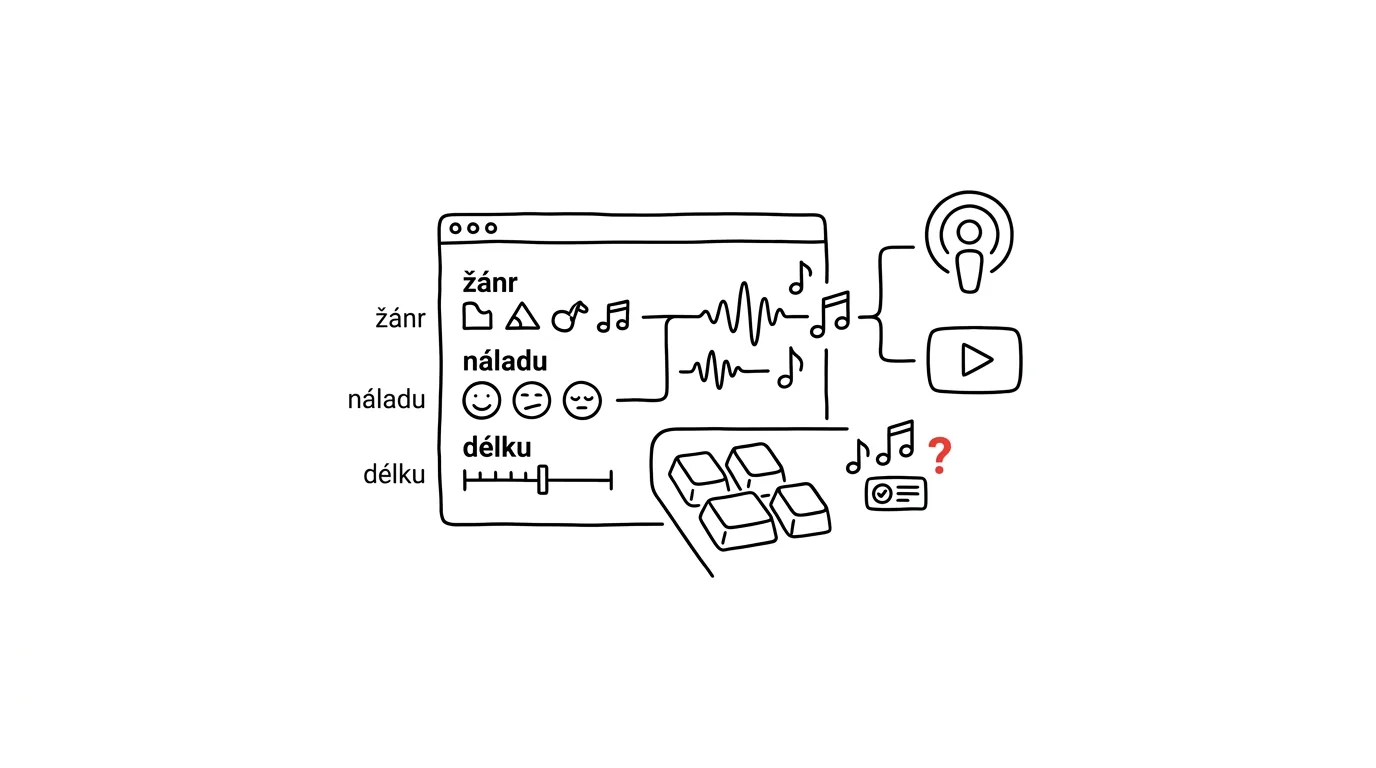
Hunting for music is a classic time sink nobody talks about. You need fifteen seconds of a sting, or a quiet bed under a two-minute video — and you end up an hour and a half later, still clicking through stock libraries where everything is either too dramatic, too cheerful, or something everyone's already heard. Music generators flip the problem around: instead of searching for a track that fits, you describe the track you want.
The technical part is actually the easy one — you'll learn to write a music brief in an afternoon, and the rest of this guide is templates you can copy straight in. The hard part is the one the ads dispose of in a single sentence: exactly what you're allowed to do with the generated track, who owns it, and what happens when you deploy it in a client job. The honest answer is “it depends,” and it's worth understanding, not ignoring.
This guide reads phase by phase: the first three cover the craft (how to brief, select, and refine), the fourth covers song lyrics, the fifth the licensing reality, and the sixth the decision — when to reach for a generator and when for a classic stock library instead. One rule governs all of it: a machine generates the music; a human decides where it goes.
A typical scenario
Marek, a video editor, is cutting a series of twelve short how-to videos for a client. Every episode needs a five-second sting and an unobtrusive bed under two minutes of voiceover. Until now, each episode has cost him roughly ninety minutes of searching through a library he pays for — and he still ended up reaching for the same track a third time. Across the whole series that's nearly eighteen hours of clicking through libraries, and three episodes that sound identical.
With a generator, he writes a brief once for the whole series: “calm instrumental bed, gentle piano and muted strings, no drums, tempo around 80 BPM, neutral mood, must not compete with the voiceover.” He generates six variants, plays two against the finished narration, and uses one. The sting he handles separately — a single motif repeated across every episode, because repetition is what turns a sound into a brand. The first episode takes eighty minutes; every one after that, about twenty.
Before he sends the finished episode to the client, he does one more thing most people skip: he opens the service's current license terms, runs them against the checklist of questions from Phase 6, and saves a dated copy into the project folder. Twenty minutes, once, for the entire series — the difference between “covered” and “hoping for the best.”
Phase 1: what generators can and can't do
Music generators work much like image generators: from a text description, they produce a finished audio track, complete with mix, instrumentation, and vocals if you ask for them. You don't get sheet music or an editable project — you get a finished piece of audio.
What works well, and where the limits are
Instrumental beds are the strongest use case — ambient pads, gentle piano, and muted electronics under a voiceover are usually usable on the first try, because they don't need a strong melody or much development. Short stings and transitions are the second sure thing: the shorter the clip, the less room there is for a track to “fall apart” somewhere in the middle. Genre pastiches with clear conventions (lo-fi beat, cinematic tension, ’80s synth) come out surprisingly faithful. Vocal tracks work, but they take the most iteration — especially once the lyrics have to say something specific.
The limits are just as clear. Longer tracks lose coherence. Generators can't sync precisely to picture — that gets solved in the edit. You can't force a specific instrument to hit at a specific moment; a brief is a description, not a score. And the same brief won't return the same track twice, only a track of similar character. The practical consequence: plan on the final track being edited together from generated material, not delivered whole.
Before you start: a brief, not a vibe
The most common reason for dozens of unusable variants isn't a bad generator — it's that the person writing the brief doesn't actually know what they want yet. Before you write your first brief, answer five questions: what the music is for, how long it needs to be, what's happening underneath it, what emotion it should carry, and what must not be in it. A plain chat works fine for this.
Help me put together a music brief for a music generator.

Project: [description — e.g. a series of how-to videos for a
furniture maker]
Where the music will be used: [opening sting / bed under narration /
transitions between chapters]
Length: [15 s sting, 2:30 bed]
Target audience: [who'll be watching]
The brand sounds like: [3 adjectives — e.g. calm, hands-on, matter-of-fact]
What's happening under the music: [male voiceover, calm speaking
pace, shots of hands at work]

Don't give me generic advice. Return:
1. Five musical directions that would fit — for each, the genre,
   instruments, tempo in BPM, mood, and why it suits the project
2. One sentence per direction on where it could go wrong
3. Three things the music must NOT contain, given what's happening
   underneath it
4. Which direction to try first, and why
You'll get back a map of directions to choose one from — and, more importantly, point 3, which becomes the negative half of your actual brief. Watch for the model's tendency to default to “energetic and modern” across the board; make it clear this is background music, not something meant to be listened to on its own.
Phase 2: the anatomy of a music prompt
A brief for a generator has six parts. Leave one out and the generator fills it in for you — and it fills in toward the average, which means toward whatever you've already heard a hundred times.
The six ingredients of a good brief
Genre and style. The single strongest word in the whole brief: “ambient,” “lo-fi hip hop,” “cinematic orchestral,” “acoustic folk.” Reach for the specific genre label the model would recognize from a huge catalog, not a vague paraphrase of the vibe.
Tempo. State it as a BPM number (60–80 for calm, 90–110 for regular motion, 120–140 for energy), or in words. Under a voiceover, the music's tempo must not compete with the pace of speech.
Mood and function. “Focused, unobtrusive,” “celebratory, but not pompous.” Spell out the function explicitly: “music under a voiceover,” “opening sting,” “hold music for a queue.”
Instruments. Two to four, not ten. The more instruments you list, the denser and more distracting the mix comes back.
Structure and length. “Slow build over 8 seconds, then a stable plateau, ending fades out.” Describe the ending especially carefully — it's the most common reason a track ends up unusable.
Vocals: yes or no. Always state this. Without an explicit “instrumental, no vocals,” the generator will happily add a vocal that talks over your narration.
Negative prompting: what shouldn't be there
The single most effective improvement to a brief isn't another adjective — it's a list of exclusions: “no vocals,” “no drums,” “no strong melody,” “no sudden dynamic shifts.” For a background bed, the most common mistake is a track that's too interesting on its own — the listener starts listening to it instead of to what you're saying.
Template: a bed under a voiceover
Instrumental bed under a voiceover, genre ambient / minimal.
Tempo around 75 BPM, calm, no strong rhythm.
Instruments: gentle piano, muted string pad, subtle bass line.
Mood: focused, matter-of-fact, mildly optimistic, not sentimental.
Structure: soft build over 6 seconds, then a stable plateau with
no dramatic shifts, ending fades out gently. Length roughly
2 minutes 30 seconds.

No vocals and no vocal-style pads of any kind.
No drums and no percussion.
No strong melodic line that would pull attention away.
No sudden dynamic shifts and no orchestral finale.
Keep the mix airy, leave the midrange clear for a human voice.
You'll get back a track that's deliberately boring — which is exactly right for a bed. Check two things: whether a “surprise” sneaks in halfway through, and whether the ending actually fades out or just cuts off.
Template: a sting
Short podcast sting, genre modern acoustic electronic.
Length 8 seconds. Tempo 110 BPM, brisk but not frantic.
Instruments: acoustic guitar with short notes, a soft synth pad,
one subtle percussion hit at the start.
Mood: friendly, matter-of-fact, clever — not corporate, not
cheerful to the point of goofy.
Structure: a recognizable 4-note motif right in the first second,
the motif repeats, a clean resolved ending (not a fade out).

No vocals. No orchestra. No fanfare.
The motif has to be memorable after a single listen.
A sting lives or dies on a motif you can actually remember. Generate twenty of them and use a single test to pick: play it, wait a minute, then try to hum it back. Whatever you can't hum isn't a sting.
Phase 3: four use cases and how they differ
The brief changes depending on what the music is for. Here are the four most common situations, and what sets each one apart.
A podcast or video channel sting
A sting is a piece of branding, not a song: short (5–15 seconds), recognizable after one listen, and consistent across every episode. Make it once and reuse the exact same one; vary the length at most. A practical trick: generate a longer, one-minute track in the chosen style and cut the sting out of it — a longer track gives the edit enough material for an intro, outro, and bumper that all sound like one family, because they genuinely are one. If you're pairing the sting with a spoken intro, the approach from the tip on audio versions of your content fits well here.
A background bed under video and presentations
The main rule: the music must never compete with the content. For presentations, remember it'll be running under a live speaker whose pace you don't control — choose a neutral pad, not a track that develops over time.
Background bed under a company presentation running with a live
speaker.
Genre: minimalist electronic with acoustic elements.
Tempo 85 BPM, steady, no speeding up. Length 4 minutes.
Instruments: pad, muted electric piano, a subtle low-end foundation.
Mood: professional, calmly confident, not triumphant.
Structure: an even plateau with no peaks, so it can be freely cut
and looped, ending fades out gradually.

No vocals, no solo instruments, no strong melody.
No percussion that would set a pace against the speaker's.
Nothing that could be called “tense” or “emotional.”
You'll get back a deliberately flat track — exactly what you need under a live talk. Always test it against actual speech; a track that sounds great on its own is often unbearable under a voice.
Music for an app or game
The specific challenge here is the loop: the music has to loop without an audible seam and survive a hundred repeats without becoming grating. State that explicitly.
Music loop for a mobile game, screen [main menu / calm
building phase].
Genre: [chiptune with a modern mix / acoustic ambient].
Tempo 100 BPM, steady.
Instruments: [gentle arpeggio, soft bass, subtle music-box bells].
Mood: pleasant, unobtrusive, holds up as background listening for
long stretches.
Structure: a repeatable 30-second loop, start and end in the same
harmony, so they can be joined without an audible seam.

No vocals. No effects that could be confused with in-game sounds.
No standout moments that would grate after the tenth repeat.
Even, consistent dynamics.
A generator usually won't hand you a truly seamless loop — that gets finished in the edit — but a good brief improves your odds of getting workable material. Test it by playing the loop for ten minutes while you do something else; only then does it become clear what starts to grate by the twentieth pass.
Corporate events and internal content
Conferences, parties, an internal company video, hold music for a phone queue. This is where generators are most useful and licensing is simplest — internal use isn't published anywhere and nobody profits from it directly. Just watch for “internal” and “publicly available” splitting apart sooner than you'd expect: a video from a company event posted to a public profile is no longer internal.
Walk-on music for speakers at a company conference.
Genre: modern orchestral crossover with electronic elements.
Tempo 120 BPM. Length 30 seconds.
Instruments: strings, subtle drums, synthetic bed.
Mood: celebratory, energetic, but not a triumphant fanfare.
Structure: 4-second build, full entrance, stable section of
20 seconds, a clear ending (not a fade out) — so the host knows
exactly when to start talking.

No vocals. No sports-broadcast clichés like stadium drumming.
A clean ending instead of a trailing fade is a practical detail: the sound tech needs a precise point to bring the mic up. Generate three lengths of the same motif right away, so the run of show has options to pick from.
Phase 4: the workflow from variants to a final track
Generating a single track isn't a workflow. The workflow is a cycle of variants → selection → iteration → editing, where each step has a clear criterion.
Variants: generate more than you need
Generate six to ten variants per brief, not two — the gap between the third and the eighth is usually bigger than you'd expect. Note down which exact brief produced each one.
Selection: listen in context, not in silence
The track you'd pick in quiet headphones is typically the most interesting one — and the most interesting track is the worst one under a voiceover. Choose directly against the finished picture or your own voice, on the kind of device your audience will actually be listening on.
I'm choosing background music for [project description] and have
8 generated variants. I can't judge them objectively.

Put together a listening protocol I can use to score the variants:
- the criteria that actually matter for a bed under a voiceover
- criteria that are just a matter of taste and shouldn't decide it
- a concrete listening procedure (on what device, for how long,
  in what order)
- the trap people typically fall into when choosing music, and
  how to avoid it

Give each criterion a 1–5 scale with a description of what 1 and
5 mean.
Output it as a table I can print.
You'll get back a scoring table that turns the choice into a decision instead of a gut feeling — and forces you to listen to every variant for the same length of time. “I like it” shouldn't be a criterion in that table; for background music, it's the worst possible advisor.
Iteration: change one thing at a time
When a variant is almost right, don't start over. Take the original brief, change a single thing in it (“pull back the percussion so it doesn't compete with the speech tempo”), and add a note that everything else — genre, tempo, instruments, mood, structure — should stay the same. It's the same principle as iterative work with AI generally: one change per round, or you won't know what actually helped. Generators, though, don't guarantee that “everything else” really stays put; treat it as a nudge in the right direction, not a precise edit.
Editing: extensions, sections, endings
Most services can keep working on a finished track: extend it, generate a different ending, regenerate a section, or produce a variation. That solves the most annoying problem of all — the track ends mid-phrase and you need twenty more seconds.
I have a generated track that works, but I need it adapted for
use in a video:
1. Extend it by 40 seconds in the same character, no new instruments
2. A new ending: a gentle fade over 6 seconds, not a hard cut and
   not a fade mid-phrase
3. A version without [percussion] for the section where the guest
   is talking
4. A short 5-second clip from the same material to use as a bumper

Keep the tempo, key, and instrumentation of the original track.
You'll get back a set of tracks that belong together — invaluable for serialized content. Not every service can handle points 3 and 4; whatever can't be generated gets finished in the edit.
Archive: save the brief, not just the result
When you need a second season with the same sound six months from now, the original brief saves you the entire first step. Save it in your prompt library, noting which variant you actually used and why.
Phase 5: song lyrics with AI
A vocal track is a different discipline from a bed. It comes down to two decisions: whose lyrics they are, and how well they actually sing.
Your own lyrics vs. generated lyrics
Your own lyrics are almost always the better choice when the song needs to say something specific — a company anthem, a congratulations message, a sting that names your brand. The model can help with rhythm and rhyme, but the idea stays yours. Bonus: authorship of the lyrics is unambiguous, which simplifies the licensing questions in the next phase.
Generated lyrics make sense for filler vocals, where the content itself doesn't matter. Expect them to be generic; models write in clichés, because clichés are statistically the most common thing in song lyrics.
A lyric structure the generator understands
Generators understand section tags in square brackets:
[Intro]
[Verse 1]
[Chorus]
[Verse 2]
[Chorus]
[Bridge]
[Chorus]
[Outro]
You don't need to use every section; for a thirty-second sting, a verse and a chorus are enough. What matters is that the chorus stays short, repeatable, and carries the one thing you want the listener to walk away with.
A prompt for lyrics from your brief
Write the lyrics for a short song I'll use as [a sting for a
podcast about home cooking / a farewell message for a colleague
retiring].

Brief:
- Length: roughly [30 seconds of singing], so a short verse and
  chorus
- Language: [English]. Who's singing: [one female voice]
- Mood: [funny, but not cheesy; warm, not sappy]
- Must mention: [the show's name / the colleague's name / three
  specific details]
- Must NOT mention: [anything about age, no jokes about overtime]

Rules:
- Write lyrics that are actually singable: short lines, natural
  word stress landing where a listener would expect it, no
  consonant clusters piling up
- Chorus max 4 lines, and it has to hold up repeated three times
  without getting tiresome
- No generic phrases about journeys, dreams, and stars
- Break the lyrics into sections with tags in square brackets
- At the end, list 3 lines you're not confident are singable, and
  offer an alternative for each
You'll get back lyrics in a structure the generator will understand, plus its own doubts in that last point — which tend to be on target. The main check is still yours: read the lyrics out loud in rhythm.
Singability in English
Even in English, generators can still mangle the words: stress landing on the wrong syllable, a swallowed consonant, or a word that comes out sounding like a different one entirely. The defense is threefold: short words, simple sentences, and a listening check — and if a line still won't behave, consider simplifying it further or falling back on wordless vocals instead of lyrics.
Here's a song lyric I want a music generator to sing:

[paste lyrics]

Review it for singability in English and return:
1. Words and phrases that are hard to sing (consonant clusters,
   long vowels landing on an unstressed beat) — for each, suggest
   a replacement with the same meaning
2. Spots where the natural word stress would land on the wrong
   syllable when sung
3. Lines that are a syllable too long or too short
4. The chorus: is it short and repeatable enough? If not, tighten it

Don't rewrite the whole thing — just flag the spots and offer
alternatives.
You'll get back a list of problem spots with replacements. The ban on a full rewrite is deliberate: left unchecked, the model would “improve” the lyrics into something more generic, and you'd lose the specific detail the song exists for in the first place.
Phase 6: the licensing reality, soberly
This is the most important part of the guide, and also the one marketing copy disposes of with a line about “music you own.” Two disclaimers up front. This isn't legal advice — it's a list of questions to ask yourself. And don't rely on AI to summarize the terms for you: models simplify license text and only know the state of things as of their training, while terms keep changing. Read the current wording yourself, the same way you would with a contract before you sign it.
Commercial use usually requires a matching paid plan
Across the major generators, roughly this pattern holds: on a free account, output is meant for personal, non-commercial use, and commercial rights come with a paid tier — not necessarily the cheapest one. “Commercial” doesn't just mean selling something: it also covers a monetized channel, advertising, content that promotes your business, or work done for a client. Three details people tend to overlook:
- What matters is the plan you were on when you generated the track, not when you publish it. A track made on a free account usually doesn't become commercially usable just because you upgrade next month.
- What happens after you cancel your subscription. Some services let you keep the rights to what you made while subscribed; others tie those rights to an active account. For serialized content meant to run for years, this matters a lot.
- Who actually holds the rights on a client job. If you generate a track on your own account and hand it over to a client, you need to know whether you're allowed to pass the license along. On some services, it's personal and non-transferable.
Terms differ, and they change
There's no single standard. Two services that look interchangeable can have different commercial-use terms, handle exclusivity differently, and disagree on what you're allowed to do with a track after your subscription ends — and these terms change often, without notifying users.
The practical consequence: check the terms again for every new project, and save a copy of the exact wording you based your decision on. A dated PDF in the project folder is enough. If a dispute comes up a year later, there's a real difference between “I thought” and “this is what it said when I used it.”
Copyright status is a gray area
This part surprises even people who read the terms carefully. The service's license tells you what you're allowed to do with the output. It doesn't say you hold copyright in it — those are two different things.
In many jurisdictions, copyright protection attaches to works created by a human. Output produced purely by generating from a text prompt can, under that reading, end up classified as a work without human authorship — meaning without protection. The consequences aren't catastrophic, but they're worth knowing:
- You may have no legal tool to stop someone else from using the same or a very similar track. For a sting you're building as part of a brand, that's worth weighing.
- Enforcement tends to be more complicated than it would be for music from a human composer.
- The degree of human input matters. Your own lyrics, arrangement, editing, combining it with recorded tracks — the more of your own creative work goes in, the different the picture looks. The exact line is different from country to country, and still evolving.
On top of that, add the ongoing disputes over what the models were trained on. The legal landscape here isn't settled. None of this means you shouldn't use generators — just that for long-term, high-value uses, you should expect the rules to keep shifting.
When you don't need to worry about any of this
So this doesn't sound scarier than it is: for internal and non-public use, it's simple. A presentation for colleagues, a prototype, a concept for a client, schoolwork, music for a company party, hold music on an internal line — here it's enough to be on a plan that covers that kind of use, and nothing else to sort out. The line is publication and revenue: the moment content goes to a public channel, into an ad, into a product you sell, or into a client deliverable, switch into the mode from the paragraphs above.
Checklist before commercial deployment
Before you release a track into the world, work through the list below. Look for the answers in the service's terms, not in forum threads.
Put together a checklist of questions I need to answer in a music
generator's license terms before I deploy a generated track in
[deployment description — e.g. a monetized video on a client's
public channel].

I want a checklist of questions, not answers — I'll find the
answers myself in the current terms. Cover:
- the scope of commercial use by tier
- what happens to the rights after a subscription ends
- whether the license can be transferred to a client
- exclusivity: can someone else get the same track
- any requirement to credit the source or label the content as AI
- rules around monetization and content-recognition systems
- what applies to tracks generated earlier on a different tier
- what to do if someone raises a claim against my content

For each question, note where in typical terms that information
usually lives (section name), and how to recognize an ambiguous
answer that I should get confirmed by support instead of assuming.

Don't describe how specific services actually work — you don't
have current data on that.
You'll get back a list of questions you can run through the terms with in twenty minutes instead of two hours. The last line of the prompt is essential: without it, the model will describe how a specific service's terms looked at some point in the past, and you'll walk away with false confidence. Read the facts about licenses from the source, not from a chat.
Recordkeeping: what, where, when, and under which plan
For a single sting, this feels like overkill. For a twelve-episode series across three clients, it's the only defense against the question “where did the music in that video from last year come from?” An eight-column table is enough: where the track came from, when it was generated, on which tier, where the file and the original brief live, which project it's used in, whether the deployment is commercial, when you last checked the terms, and where you saved a copy of them. People skip the last two columns and regret it — without them, you don't know whether anything has changed since you deployed it.
Phase 7: when to use a generator and when a stock library
Stock libraries have one quality generators haven't caught up to yet: a clear, established, and provable license, often including contractual protection in case a third party makes a claim. You pay for that certainty with a subscription fee and less originality.
- A generator, when the deployment is internal, short-lived, or experimental, when you need exactly something a library doesn't have, or when searching would take longer than generating.
- A stock library, when it's a major campaign, a long-term brand, or a product you sell — anywhere a dispute would cost many times more than a license.
- A combination, which is what most regular creators actually do: the sting and the main theme from a library or a composer, generated tracks for filler, transitions, and internal material.
I'm deciding between an AI music generator and a stock library for
this specific case:

Project: [description]
Where it'll run: [public channel / internal / advertising / product]
How long it'll stay live: [one-off / years]
How many tracks I need: [1 / 12 / dozens]
How much sound originality matters: [description]
Who carries the risk if a dispute comes up: [me / the client /
the company]

Build a decision table: for each option (generator, stock library,
composer for hire), give what's in its favor, what's against it,
what risk I'd be carrying, and what I'd need to be able to show
if someone asked.
At the end, give one recommendation and one condition under which
the recommendation would change. Don't list prices — I'll find
those myself.
You'll get back a comparison that makes clear what you're actually buying. Treat the recommendation as input to a decision, not the decision itself; the risk sits with you or your client, not with the model.
The most common mistakes
- Choosing a track in silence. The most interesting variant is usually the worst one under a voiceover. Listen to candidates against the finished picture or your own voice.
- Forgetting negative prompting. Exclusions move the result further than three extra adjectives. Without them, a generator will always add more, not less.
- Generating on a free account and publishing commercially. What matters is the tier you were on when the track was generated; a later upgrade usually doesn't fix it retroactively. The most expensive mistake on this list.
- Letting a model summarize the terms for you. A checklist of questions from AI is fine; find the actual answers in the current terms.
- Saving only the result, not the brief. Six months from now you'll need a second season with the same sound, and you'll be starting from zero.
- Iterating with five changes at once. Change the tempo, instruments, and mood all together, and you'll never know what actually worked.
- Treating “internal” as a fixed category. A video from a company event posted to a public profile is no longer internal.
The best tools
- Suno — the most widely used generator; instrumentals and vocal tracks, track extension, lyrics broken into sections.
- Udio — similar range, a different character to the output. Run the same brief through both and compare; the gap is often bigger than between two variants from the same service.
- Claude or another chat model — the brief, the listening protocol, lyrics, the licensing checklist, and the recordkeeping table. It doesn't generate the music itself, but it handles everything around it.
- Stock libraries (Artlist, Epidemic Sound) — the safe choice wherever you need an established, provable license for a client.
- Your editing software — trimming to length, looping, fades, and mixing under a voice. The generator supplies the raw material; the final track gets made here.
What you get out of it
- Time: from ninety minutes of searching down to twenty minutes per episode — on the order of fifteen hours saved across a twelve-episode series.
- Money: for internal material, there's no extra license to buy; for commercial deployment, it's more a shift in cost than a straightforward saving.
- Peace of mind: recordkeeping and dated saved terms mean you can still answer “where did that music come from” two years later.
- Quality: the music fits the length and the mood, because it was made to measure — and your sting won't sound like the sting on three other podcasts.
Pro tip
Build a sonic identity once and reuse it everywhere. Generate a single longer track in the style that's meant to be the sound of your brand, and cut a whole family out of it: a long intro, a short sting, a two-second bumper, an outro, a quiet no-percussion variant for under a voiceover. Everything will sound like one coherent whole, because it came from one — and it's repetition that turns a sound into a brand, not the originality of any single piece.
And the closing rule: the machine generates it, the human deploys it. Before every public release, ask yourself three questions — is this commercial use, am I on a plan that covers it, and if someone asked in a year, what would I show them? Three minutes up front is cheaper than any explanation after the fact. For internal work, prototypes, and schoolwork, you don't need to worry about any of this; for a major campaign or a long-term brand, reach for a traditional license or a composer instead.
Want to go deeper? The handbook has a whole chapter on it — AI and automation.
Similar tips
Browser profiles: work and personal, kept apart
Two profiles means two sets of bookmarks, logins, history, and extensions. No more signing out and mixing work with personal.
Tab groups: a cleanup for chronic tab hoarders
Tabs can be grouped under a colored label and the group collapsed. Research for a project takes one click instead of twelve open tabs.
Close the book and recall: the most effective study technique
Re-reading your notes creates an illusion of knowledge. Closing the book and trying to recall the material from memory — that's learning that sticks.
Liked this tip?
I send one like it every week by email. Two minutes to read, hours saved.
1 tip a week · no spam · unsubscribe in one click