Tips & tricks · AI · Everywhere · ~20 min per document · 2 min read
A Table Locked Inside a PDF: AI Puts It Back Into Excel
Last reviewed:
In this article
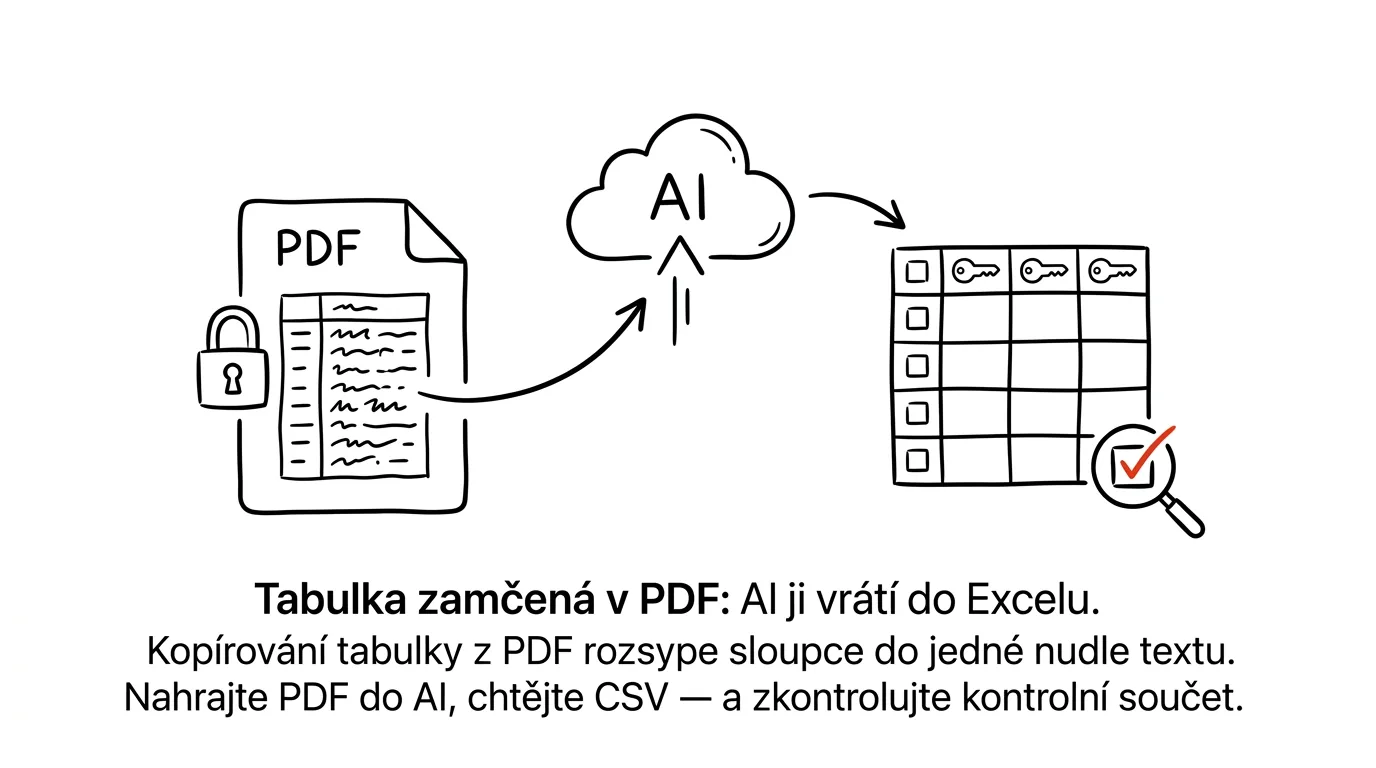
Everyone's run into this: a PDF report has a table you need in Excel. You select it, copy it, paste it — and instead of a table you get one long noodle of text, with the numbers merged into the headers. A PDF has no concept of tables, just characters positioned on a page. Retyping it by hand is a punishment, and yet all it takes is uploading the file to a chat: AI recognizes the table's structure from the layout, handles multi-line cells too — and for scanned documents it can read the image directly as well.
How to do it
- Upload the PDF to a chat (Claude, ChatGPT, and Gemini all accept files; for a scan, a photo of the page works too).
- Use this prompt:
The attached PDF has a table on page [number] showing
[description, e.g. monthly revenue by branch]. Convert it
to CSV using a comma as the delimiter.

Rules:
- keep every row and column, don't skip or calculate
  anything,
- leave numbers exactly as they are (strip thousands
  separators, keep the decimal point as-is),
- if a cell can't be read reliably, write UNREADABLE
  instead of guessing,
- at the end, give the row count and the sum of column
  [name], so I can check it against the original.
- Save the CSV or paste it into a spreadsheet and check it: row count and control total against the original. If both match, the rest is very likely correct too.
- For scans and photos, expect a higher error rate — spot-check a few cells too, especially numbers with a lot of zeros.
A typical scenario
Analyst Ondřej gets a bank's annual report as a PDF and needs a five-year table of loans out of it. Copying makes the usual mess, exporting to Word doesn't help either. It used to mean twenty minutes of retyping and another ten hunting for the typo that's throwing off the totals.
He uploads the PDF, asks for CSV with a control total, and a minute later is pasting the data into a model. The total is off by one number — the original had an asterisk next to a restated value, and the model took the footnote instead. Thanks to the check he catches it right away, fixes the one cell, and moves on. Without the control total, that error would have ridden all the way into the report.
What you get out of it
Data locked in a PDF stops being an obstacle — reports, price lists, statements, and tables from scanned documents land in Excel in a minute. The key part is the ritual at the end: row count and control total. AI occasionally makes mistakes during conversion, but a conversion with a built-in check is more reliable than a manual retype nobody checks at all. Once you have the data, the follow-on is analyzing data with AI — from CSV to a conclusion you can defend.
Pro tip
For reports that come in every month in the same layout, save the prompt along with the page number and column names. Conversion then shrinks to "upload, paste, check the total" — and that exact kind of repeated routine is the first candidate for full automation, whenever you feel like setting it up.
Want to go deeper? The handbook has a whole chapter on it — AI and automation.
Similar tips
In-depth guide · 20 min
Artifacts: mini-apps without coding
A guide with prompts: how a plain description becomes a working calculator, quiz, or prototype, refining and sharing it — and when you need a real app.
In-depth guide · 20 min
Routines in Claude: mail sorts itself and drafts get written before you arrive
A complete guide with prompts: from the first mail and calendar connection through one simple routine to the set of four that holds a day together.
In-depth guide · 18 min
Subagents: let AI manage AI
A complete guide with prompts for orchestrating subagents: when one agent isn't enough, splitting work into batches, and checking results with a script.
Was this helpful?
Liked this tip?
I send one like it every week by email. Two minutes to read, hours saved.
1 tip a week · no spam · unsubscribe in one click