Tips & tricks · AI · Everywhere · ~never spending half an hour searching again
A second brain that talks back
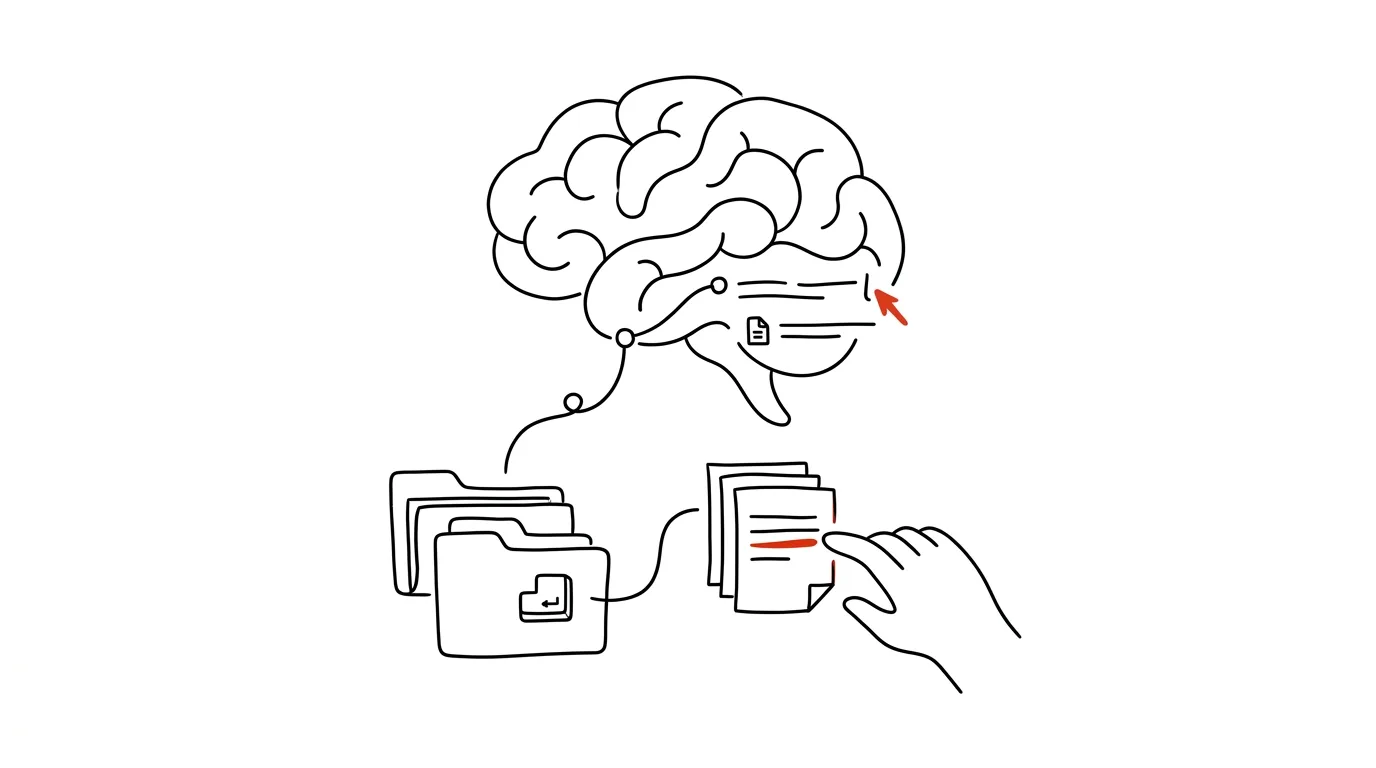
You've been taking notes for years. Meeting minutes, decisions, ideas, client notes, things you read somewhere. Then the question comes: “what did we decide about pricing last year?” — and you spend twenty minutes flipping through Notion, trying three different keywords, and finally just ask a colleague because it's faster. The note exists. You just can't find it.
The value of notes isn't realized when you write them, but when you recall them — and that's exactly where most systems fail. The entire “second brain” industry has taught you how to write things down: templates, tags, daily notes, linking. Almost nobody addresses the other half — how to get back to it two years later. Full-text search is dumb by design — it only finds what you happen to remember phrasing exactly the way you did back then. And you don't remember, because if you did, you wouldn't be searching.
This guide covers that other half. It walks you through cleaning up before you connect anything, connecting AI to Notion or a notes folder, the types of questions that actually work, the minimum note hygiene, and a weekly routine that keeps the archive growing on its own. Every phase comes with copy-paste prompts — just fill in the brackets. It's not a weekend project: you can get through the first three phases in an hour, and the rest is a habit that settles in over a couple of weeks.
A typical scenario
Philip runs a three-person studio and has been writing everything down for eight years, the last four of them in Notion. He has over two thousand pages there and is proud of it — except in practice he uses about twenty of them. The rest is an archive he can't get into, not because there's nothing there, but because he doesn't know how to ask it anything.
Concrete numbers from his month before the change: three times he searched for an older decision and each search took twenty to forty minutes, twice he gave up and asked a colleague (who remembered it differently), and once he re-solved a problem he already had written up — he just didn't know it. Altogether roughly three hours, plus one bad decision made because he recalled the wrong version of the price list.
So he connects Claude to his Notion workspace with a connector and asks: “What did we decide about hourly rates last year, and why?” The answer arrives in half a minute and cites two meeting notes — including a reason he'd completely forgotten. Next he tries “summarize everything I have on the client Novak” and gets an overview drawn from seven pages spanning three years, something that would have taken him half an hour to piece together by hand. And the third one surprises him most: “have I ever solved the invoice-export problem before?” — yes, two years ago, laid out in three steps. He hadn't gone looking for it, because he didn't remember ever dealing with it.
Three months in, one more habit stuck that he hadn't originally planned on: on Fridays he has AI pull decisions and insights out of the week's conversations and save them back into Notion as clean notes. For the first time, the archive grows on its own — and in a shape you can actually get answers out of.
Phase 1: cleaning up before you connect anything
The most common mistake is connecting AI to your entire workspace and waiting for a miracle. The miracle doesn't come, because your notes have three layers of things tangled together: current truth, history, and unfinished business. Ask AI about your price list and it'll find the valid one, a draft from 2023, and a note saying “probably need to redo the price list” — and treat all three as equally credible. An hour of prep here saves six months of not trusting the answers.
What you actually have: a quick inventory
The goal isn't to tidy up your notes — it's to know what's where and what's worth exposing. Split your content into four categories: reference (procedures, decisions, price lists — the things you'll actually ask about), archival (meeting notes, project logs — history), working (half-formed ideas, unfinished bits — mostly noise), and private (journal, health matters, personal finances — AI has no business here).
This isn't an hour of sorting page by page. In most systems you can do it at the section level: by top-level pages in Notion, by folders in Obsidian. If your notes are one big unstructured pile, at least make a rough cut — a private/ folder and everything else.
Only expose what AI should actually see
This is a step you can't skip, even though nobody enjoys it. Grant permission to a specific space, section, or folder — not to everything you have. Keep your personal journal, health notes, passwords, notes containing clients' personal data, and anything covered by an NDA out of reach.
Wherever your notes hold sensitive material — personal data, health information, trade secrets — work with it only through a paid or business account with contractual data protection, not a freely available chat. You grant the permission, and you can revoke it anytime; put five minutes on your calendar once a quarter to review what's connected.
Find out what's actually in your archive
Before you start searching, have AI make you a map. It's the one prompt you run just once, and it surprisingly often reveals that half your notes cover one area while some other area you deal with daily isn't written down at all.
You have access to my notes in [Notion / the notes/ folder].
Don't answer any substantive question yet — just give me an inventory.

1. What are the main topic areas that show up in the notes?
   For each one, estimate how many pages or files it covers.
2. What time range do the notes cover, and where are the gaps in
   time (periods with almost nothing written).
3. Which notes look like binding rules or decisions
   (price lists, procedures, agreements), and which are more like
   ideas and unfinished business?
4. Where is there clearly more than one version of the same thing
   (several price lists, several versions of a procedure) that could
   get confused?
5. What's missing from the notes, given the kind of work I actually
   do according to them?

For each point, cite the specific page or file names you're basing
this on. Don't guess or make anything up.
You'll get back a map of your archive — typically including the uncomfortable discovery that you have four documents that all call themselves the price list. Go through point 4 right away: duplicates and stale versions are the main reason AI answers badly from your notes. You don't have to delete them — just rename them so the title makes validity obvious, or move them into the archive section.
Phase 2: connecting AI to your notes
There are two routes, and which one applies depends on where your notes live. Both lead to the same result: you ask in a normal sentence and the answer is built from your own writing.
Notion via a connector
The most convenient option. A connector is a standardized link (Claude has them for Gmail, Calendar, Drive, Notion, Slack, and more) where you grant permission and AI sees straight into your workspace — you don't copy anything, and once you edit a note, the next answer already works from the new version. How connectors work in general is covered in the tip on MCP connectors.
The process is boring, and that's a good thing: in settings you connect Notion, log in, choose the pages or workspace, and confirm. Choose narrowly — this dialog is where it's decided whether AI shows you a note from a personal appointment a month from now.
The first question after connecting should be a check, not a useful one. You want to know what the connector can see, and whether it matches what you expected:
You're connected to my Notion. Before I start asking questions,
check your scope:

1. List the top-level pages or databases you can see.
2. For three of them, note when they were last edited.
3. Try to find a page containing the word [price list / procedure /
   contract], and give its name and path.
4. State explicitly whether you can see anything that looks personal
   or sensitive by its title (journal, payroll, health, passwords).

Don't edit or create anything. Just describe what you see.
Point 4 is the safeguard. If the answer shows you something that shouldn't be there, go back to settings and narrow the permission scope before you ask your first real question.
Obsidian or a plain folder of files
Obsidian is just a folder of text files — no proprietary format, no database. That means it can be read directly. You give AI access to the folder, and from then on it works the same as with Notion, just without an internet-based permission. Claude Cowork (a desktop-app mode where the model sees the files in a folder and works with them without any coding) is a good fit for working over a folder, or Claude Code if you also want scripting and version control.
A practical note on structure: the flatter, the better. Seven levels of nested folders don't help anyone, including you. A structure that works well looks like this:
notes/
  daily/          daily notes, one per day
  people/         one file per person or client
  projects/       one file per project
  decisions/      one file per decision, dated in the name
  reference/      procedures, price lists, checklists — current truth
  archive/        old versions, closed-out projects
The key folders are decisions/ and reference/. Once AI knows that reference/ holds the valid version and archive/ holds history, it stops mixing old price lists into its answers. Write it into your Project instructions or your prompt explicitly: “treat only the contents of the reference folder as valid; use the archive folder only when I'm asking about history.”
If you have both — part in Notion, part in files — that's fine. Connectors and folder access can be combined in a single conversation; AI then searches both and distinguishes in its answer where each piece came from.
Persistent context via a Project
If you query your notes often, don't start a new conversation with an explanation every time. Set up a Project — persistent context where your instructions apply to every conversation inside it. In the instructions you write what your notes are, how they're organized, and how answers should be handled. More detail in the tip on Projects and context.
Project instructions "My notes":

You are my assistant over my personal notes archive.
Structure: reference/ = currently valid rules and procedures,
decisions/ = individual decisions with a date, daily/ = daily notes,
people/ = notes on clients and colleagues, archive/ = invalid and old
versions.

Rules that always apply:
1. Answer exclusively from my notes. Don't add general knowledge.
2. For every claim, cite the name of the page or file it comes from,
   and the date of the note if it can be determined.
3. When the answer isn't in the notes, say so explicitly with the
   sentence "there's nothing on this in the notes" and suggest where
   I might have it.
4. When you find more than one version of the same thing, list all
   of them with dates and flag which one is most likely valid based
   on location and date — but leave the decision to me.
5. Never edit, delete, or create anything until I explicitly ask
   you to.
Rule 3 is there because of the most dangerous failure mode in this whole workflow: the model fills a gap in your notes with general knowledge that sounds reasonable, and you end up thinking it's your own decision. Rule 4 handles duplicates — instead of the model picking one version, it shows you all of them.
Phase 3: how to ask so it actually works
This is where the whole difference from full-text search shows up. Full-text search looks for strings; this looks for meaning. You can remember things imprecisely, mix up words, ask about something you never actually named — and it still finds it. There are four types of questions that cover ninety percent of everyday needs.
Type 1: what did we decide, and why
The most valuable category, because decisions are what gets forgotten fastest and costs the most to rediscover. The critical part of the query is the word “why” — you usually remember the decision itself, just not the reason.
Search my notes and answer this question:
[what did we decide about hourly rates for new clients].

Answer in this structure:
1. The decision in one sentence, as it currently stands.
2. When it was made and who was involved, if the notes let you tell.
3. The reasons given in the notes — verbatim, not paraphrased.
4. Alternatives that were considered and not used, and why.
5. Later changes or exceptions, if the notes revisit the topic.

For every point, cite the source note and its date.
Where the information isn't in the notes, write "not in the notes" —
don't guess at what we probably meant.
You'll get back a reconstruction of the decision, reasoning included. Point 4 is usually the biggest surprise: you'll often find that the alternative you're about to circle back to was already rejected once, and you'll know why. Check the dates — if the last note on the topic is two years old, the answer is only as valid as whatever hasn't changed since, and the model has no way of knowing that.
Type 2: summarize everything on a client or project
The classic pre-meeting situation. Your notes on a client are scattered across meeting minutes, daily notes, emails copied into Notion, and one file named after them. Assembling it by hand takes half an hour.
Go through all my notes and build a client profile for [name].
I'm interested in the period [the last 3 years].

Put together:
- a timeline of the relationship: what, when, at what scope
- agreed terms that applied at each point (prices, deadlines,
  exceptions)
- what works with them and what doesn't — based on what I wrote down
- open items, promises, and unfinished business that never got
  marked "done"
- the people on their side and what I know about them
- risks and sensitive points I've ever complained about

Sort chronologically, and for each item cite the source note and
date. Distinguish what's a recorded fact from what was my impression
at the time.
At the end, give me 5 questions I should clarify before the next
meeting.
You'll get back material that walks you into the meeting prepared. The line about distinguishing fact from impression is there on purpose: your notes mix the two together, and in a summary “it seemed to me they didn't like it” can easily turn into “they didn't like it.”
Type 3: have I dealt with this before
The most underrated query. It's not about finding a specific thing — it's about asking whether it even exists. You can't ask this with full-text search, because you don't know what word to look for.
I'm looking at this problem right now:
[describe the problem in 3-5 sentences, imprecisely is fine, just as
you see it]

Search my notes and find out:
1. Have I ever dealt with this problem, or something very similar,
   before?
2. If so: when, in what context, and how did it turn out?
3. What solution did I use back then, and did it work?
4. Did I note anything I'd do differently next time?
5. Are there things in my notes related to this problem, even if
   they don't address it directly?

Search by meaning too, not just by words — I might have described it
differently back then. If you don't find anything, say so clearly
and don't offer general advice instead.
That last sentence matters. Without it, a model that finds nothing smoothly slides into general advice on how such problems are usually solved — and after half a minute of reading, you won't notice you stopped reading your own notes a while ago.
Type 4: patterns across the archive
A category full-text search can't handle even in theory, because the answer isn't in any single note — it only emerges from comparing many of them.
Go through my notes from [the past year] and find patterns:

1. Which topics keep coming back without me ever resolving them?
   For each one, note how many times and over what span it appeared.
2. Where do I contradict myself across the notes — where did I claim
   one thing at one point and the opposite at another?
3. What types of problems repeat across different clients or
   projects?
4. What did I promise myself I'd change, with no trace of it
   happening in the notes?
5. Which of my recorded assumptions weren't borne out by later
   notes?

For every finding, cite at least two specific notes with dates that
it's based on. If you only have one, it's not a pattern — leave that
finding out.
The answer tends to be uncomfortably accurate, and it's the best material for a quarterly look-back. The “at least two notes” requirement in the last paragraph stops the model from turning a single mention into a trend.
Always require a source
One rule holds across every type of question: an answer without a source citation isn't an answer from your notes — it's an answer from the model. Your prompt (or, once and for all, your Project instructions) should include the sentence “for every claim, state which note it comes from, and if it's not in the notes, say so explicitly.”
Checking is then a single click. Spot-check one or two sources from any longer answer — especially wherever something surprised you. A surprise is either the single most valuable thing the archive gave you, or a place where the model guessed. You can tell the difference in ten seconds. The general verification approach is covered in fact-checking with AI.
Make querying your first reflex
This is usually where it falls apart: most people only check their own archive after they remember they might have something there — and by then it's too late. Ask in three situations, every single time. Before you start tackling something (“have I dealt with this before?” takes fifteen seconds and occasionally saves an afternoon). Before meeting anyone you've known for more than a month (two minutes of prep with a wildly disproportionate payoff). And whenever a discussion produces the line “but we decided that differently” — two people's memories diverge almost every single time in that moment.
The habit forms faster with a trigger: pin your notes Project so it's two clicks away, and for the first week, ask even when you suspect the answer is no.
Phase 4: note hygiene for AI
Search by meaning tolerates messiness far better than full-text search, but not infinitely. There's a minimum set of rules that jump the quality of answers up a level — and there are only a few of them. No elaborate six-tag system here; just four things that cost a few seconds while you're writing.
Rule 1: the title carries information
A note titled “Meeting” is nearly useless for search, because you have two hundred of those. The title should answer “what is this about, and when”: “2026-03-14 Meeting — hourly rate pricing, discount decision.” A date at the front in year-month-day format sorts itself and can't be confused with any other date format.
Rule 2: date and attendees in the text, not just in metadata
Metadata sometimes gets lost when reading; body text doesn't. Make the first line of a note contain the date, who was there, and what it's about. One sentence is enough: “March 14, 2026, leadership meeting (Philip, Jane, Peter), topic: 2026 pricing.” That sentence costs five seconds, and it's the most common difference between an answer like “you decided that in a meeting” and “you decided that on March 14, 2026, at the leadership meeting, with Philip, Jane, and Peter present.”
Rule 3: write down the reason along with the decision
The most valuable sentence in any archive starts with “because.” A decision without a reason is worthless a year later — you don't know if it still holds, because you don't know what it was based on. Write it up as: what we decided, why, what we considered instead, and what would have to change for us to revisit it.
Rule 4: a minimum of tags, applied consistently
Tags aren't there to substitute for search — that's what AI is for. Their job is to mark the type of content, and five are enough for that: decision, procedure, client, idea, archive. Anything more, and you won't apply them consistently — and an inconsistent tag is worse than no tag at all.
If you want to enforce these rules retroactively, have AI run an audit. You don't have to rewrite everything — just the reference notes you query most often:
Go through the notes in the [reference/] folder (or the [name]
database) and run a discoverability audit. For each note, assess:

1. Can you tell from the title what it's about and from when?
   If not, suggest a better title in the form
   "YYYY-MM-DD Topic — what it's about".
2. Does the text contain the date and who was involved?
3. If it's a decision: is the reason stated?
4. Does it link to related notes, or does it stand alone?
5. Is there a newer version of the same thing somewhere else?

Output as a table: current title | what's missing | suggested title.
Don't rename or edit anything — just propose.
Sort worst cases first, so I know where to start.
You'll get back a list where you can fix the first twenty items in twenty minutes and leave the rest alone. The ban on editing in the second-to-last line is deliberate: renaming notes is an irreversible operation on your archive, and it falls under the rule AI proposes, the person approves.
Cross-linking helps here too: linked notes give an answer context that no single file has on its own. In Obsidian, double brackets handle the linking.
Phase 5: a weekly distillation of conversations into notes
Something most people don't do: your conversations with AI generate more usable content than your notes do. You work out a strategy in chat, solve a problem, run through the arguments for and against — and then you close the conversation, and three months later all you remember is that “we sorted that out somewhere.” But chat isn't an archive: it's not easy to search or cite from.
The fix is a twenty-minute-a-week routine. At the end of the week, go through your conversations, pull out whatever has lasting value, and save it as clean notes in your own system.
Go through my conversations from this week and prepare a distillation
for my notes. I only care about what still has value a year from now.

Split the output into four groups:
1. DECISIONS — what I decided to do, including the reason and the
   alternatives considered.
2. PROCEDURES — walkthroughs and solutions I had explained to me
   that I'll need again.
3. FACTS AND DATA — specific numbers, names, terms I learned, noting
   where they came from.
4. OPEN QUESTIONS — what remained unresolved.

For each item, write:
- a suggested note title in the form "YYYY-MM-DD Topic — what it's
  about"
- the note text, 5-10 lines, ready to paste in
- which folder or database it belongs in
- which of my existing notes it should link to

Leave out anything that was one-off (wording for a single email, a
text fix). Don't include sensitive data. Don't save anything
yourself — just prepare it for me to review.
You get back a set of finished notes that you review, tweak, and paste in. The key part is the last line: it doesn't save anything on its own. Auto-creating notes clutters your archive with content you never read — and an untrustworthy archive is worse than no archive at all. The “leave out one-off things” filter matters just as much: without it you'll get fifty notes a week and quit doing this.
A similar routine can be built over meeting notes and email too, see a weekly review with AI; scheduled tasks are a good fit for running it automatically.
Filling in backward: what's missing from the archive
Once a quarter, it's worth flipping the direction and asking the archive what isn't in it.
Based on my notes from [the last quarter], figure out what's missing
from my archive:

1. Topics I clearly spend a lot of time on, according to the notes,
   but have no summary or reference note for.
2. Decisions the notes refer back to, where the decision itself was
   never actually written down anywhere.
3. Procedures I repeat, according to the notes, but haven't written
   up as a procedure (and should, so they can be handed off).
4. Clients or projects with notes scattered around but no summary.

For each gap, suggest a title for a note I should create, and three
bullet points of what should be in it. Sort by what I'm missing the
most.
Point 2 turns up the most interesting gaps: notes often refer back to an agreement that was never actually written down anywhere. Point 3, meanwhile, feeds straight into process documentation — a procedure you've done eight times and never written up is a candidate for its own checklist.
Phase 6: NotebookLM as a second layer
A Notion connector and reading a folder handle search over a living archive. Alongside that, a second layer is useful for situations where you're working with a closed set of documents and need certainty that the answer isn't coming from anywhere else.
NotebookLM only answers from what you upload into it, and every answer comes with a citation to a specific source. That's a different kind of guarantee than an instruction like “answer only from my notes” — there you're relying on the model sticking to the instruction; here it's a property of the tool itself. Detailed coverage in the tip on NotebookLM and custom sources.
When combining both layers is worth it:
- A closed project. Upload every document for a single engagement (brief, contract, meeting notes, delivered materials) and ask only them.
- Handing off responsibilities. A set of documents plus a tool that answers from them is a better handover than a two-hour meeting.
- A one-off set of documents that isn't worth loading permanently into your main system.
- Listening instead of reading. NotebookLM can generate a spoken overview from your uploaded sources — useful on the way to a meeting.
I've uploaded all the documents for project [name] into the
notebook: the brief, the contract, meeting notes, and ongoing notes.

Build me a handover overview from them:
1. What the project is about and what state it's in.
2. All agreed-on rules and deadlines, with a source citation for
   each.
3. Decisions made during the project, chronologically.
4. Open items and risks.
5. Who's responsible for what, and who to go to for what.
6. What's missing from the materials — what the successor should
   track down from people.

Base this exclusively on the uploaded sources. For each point, note
which document it comes from. Take point 6 seriously: admit a gap
rather than fill it in with a guess.
Point 6 is why this prompt is worth using even for yourself, not just when handing something off. A list of what's missing from the materials is the fastest way to find out where a project is actually standing on a verbal agreement.
Common mistakes
- Connecting your entire workspace, private stuff included. A personal journal, health notes, and passwords have no business within AI's reach — and sensitive work material belongs only in a paid account with contractual data protection. Narrow the permission scope right at the start, not after the first uncomfortable answer.
- Not requiring a source citation. Without it you can't tell where an answer comes from your notes and where the model filled in general knowledge. The line “for every claim, cite the source note” belongs in your Project instructions, not in every single query.
- Leaving three versions of the same thing in the archive with no indication of which is valid. The model has no way to tell which price list is current. Either separate reference from archive, or put validity in the title — otherwise you'll get a correct-looking answer pulled from the wrong document.
- Asking in keywords. A full-text habit that costs you the main advantage. “Price list 2025” turns up less than “what did we decide about pricing last year and why did we do it that way.”
- Letting AI create and rewrite notes automatically. The archive fills up with content you never read, and you stop trusting it. Have notes proposed, and save them yourself.
- Believing search can replace writing things down. If the reason for a decision isn't in your notes, no tool will find it there. A few extra seconds while writing is the only real investment this system needs.
The best tools
- Claude — a Notion connector and file reading in a shared folder; Projects for persistent instructions over your archive, and answers with a link back to the specific page or file.
- Claude Cowork — a desktop-app mode for working with files without any coding; you give it access to your notes folder and it reads, sorts, and puts together overviews from inside it.
- Notion — notes in structured databases that search well both by hand and via a connector; best suited to team archives.
- Obsidian — notes as plain text files in a folder; the choice when you want your data physically under your own control and no dependence on someone else's service.
- NotebookLM — a second layer for closed sets of documents: it answers only from uploaded sources and shows a citation for every answer.
- Scheduled tasks (routines) — run the weekly distillation on a schedule, so you don't have to remember to do it.
What you get out of it
- Time: half-hour searches through your own archive disappear — the answer arrives before you'd have opened a second tab. At three searches a month, that's roughly two hours.
- Money: years of notes finally start paying off. That's before counting the work you don't redo a second time because you discover you've already done it.
- Peace of mind: writing notes stops feeling pointless — and you no longer have to keep track in your head of where everything is.
- Quality: a documented decision, complete with date and reason, is the difference between a guess and a fact in a conversation with a client.
Pro tip
Try a question you couldn't ask with full-text search at all: “where do I contradict myself in my notes from the past year?” or “which topics keep coming back that I never actually resolved?” These are questions about patterns across hundreds of pages, and the answer tends to be uncomfortably accurate — a good fit once a quarter as a personal retrospective that doesn't need anyone else in the room.
An advanced variant: take a topic you've spent years thinking about, and have it assemble, from the whole archive, how your view of it evolved and where you changed your mind. What comes out is a piece of writing you never wrote, and yet all of it is yours.
The final rule that overrides everything else: AI reads the archive, the person decides. Don't give the tool the right to rewrite or delete notes, and whenever an answer surprises you, always open the source. Reading is enough — and it's exactly the half of the second brain that's been missing until now.
Want to go deeper? The handbook has a whole chapter on it — AI and automation.
Similar tips
Gmail from the keyboard: E archives, R replies
E
Turn on keyboard shortcuts in Gmail and clear your inbox several times faster — without a single click.
Mute the conversation that's no longer about you
M
An endless “reply all” thread? The M key mutes the conversation — new replies go straight to the archive.
Schedule your email to send at the right time
An email written Saturday evening can go out Monday at 8 AM. Scheduled sending respects the recipient's time — and your reputation.
Liked this tip?
I send one like it every week by email. Two minutes to read, hours saved.
1 tip a week · no spam · unsubscribe in one click