Tips & tricks · AI · Everywhere · ~30 min per illustration
Images for your project on autopilot: one style, one script
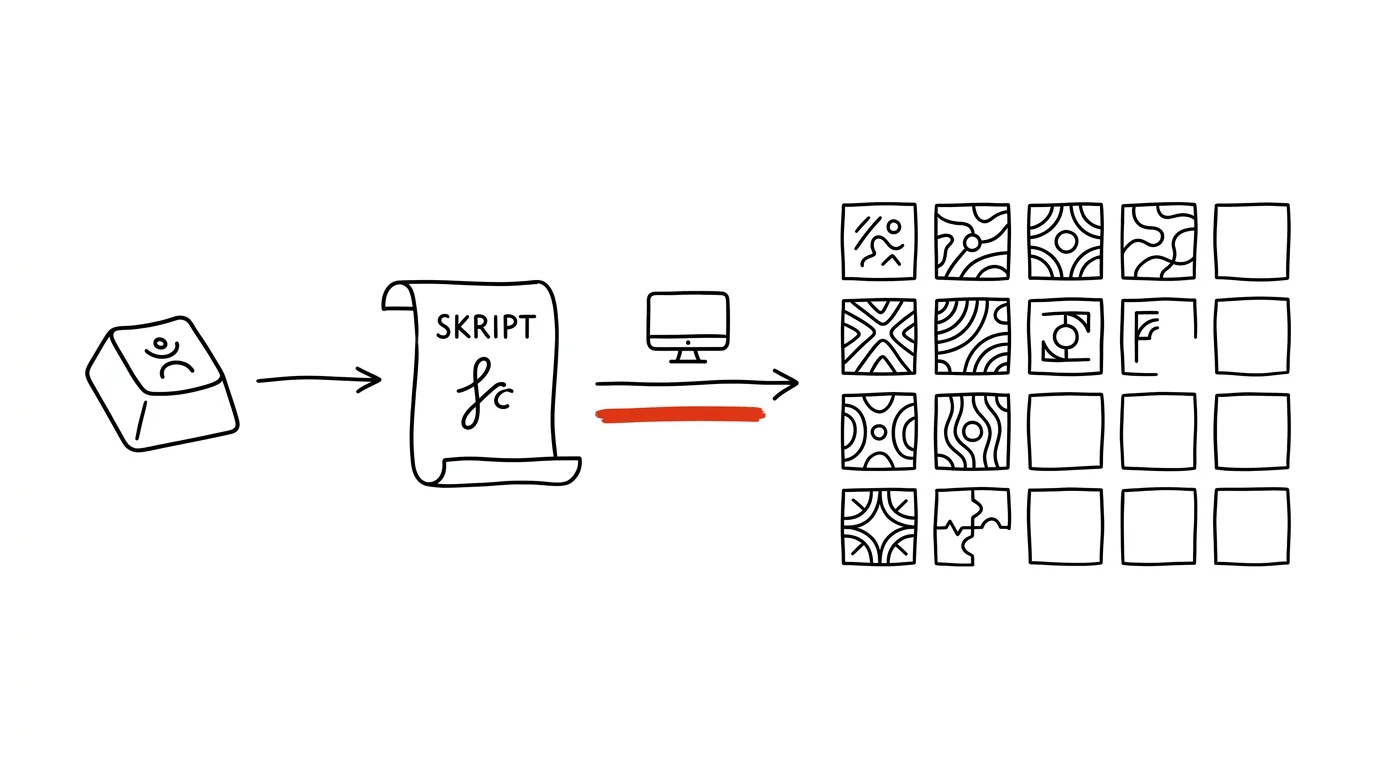
Most people know exactly one way to use an image generator: open the website, type a prompt, wait, download, resize, upload. For one image, that's fun. By the twentieth, it's work — and it shows, because each one came out in a different mood and a different style. But the same service almost always has an API too. And that opens up a different world: you write the style prompt once, and from that moment an image is just one command.
This guide shows how manual generation turns into a production line that holds a single visual language. It's not a guide for programmers — you have the code written for you, you decide the style and approve the output. We'll move from the cheapest step (dialing in a style brief in an ordinary chat) through the script and batches to the operational things that are easy to underestimate: where an API key should live, how to keep an eye on spend, and what to do when the model changes underneath you.
One rule governs the whole text: the machine generates, a human publishes. Have the script save images to a folder, not straight to the site — generators can produce deformed text, a sixth finger, or a motif that doesn't fit the topic at all.
A typical scenario
Klára, a freelance graphic designer, builds a blog for a finance client. Every article needs a header illustration. Until now that meant: come up with a motif, write a prompt, generate variants, pick one, open an editor, crop, export, compress, rename, upload. Thirty to forty minutes per image — with three articles a week, that's nearly two working days a month that nobody pays for as creative work.
Worse than the time was the result. After six months the blog looked visually fractured: January's illustrations had a different palette than June's, because in the meantime the model had shifted, Klára's taste had shifted, and nowhere was it written down what the first ones had actually looked like. The client summed it up in one sentence: “it looks like five different people made this.”
Now Klára has two things: a text file with the style brief, and a short script. She writes one sentence about the motif, runs the command, and a minute later has three variants in the right aspect ratio, in WebP format, named after the article. She picks one, deletes the rest — thirty minutes down to three. And when the client asks for a palette change a year from now, Klára rewrites two sentences in the style file and regenerates the entire archive in one evening.
Phase 1: why an API instead of clicking through a generator
The difference between a web interface and an API isn't in image quality — it's the same model. The difference is in what can be repeated.
Consistency: the style lives in a file, not in your head
When you type a prompt fresh every time, you type it a little differently every time. Once you mention “delicate lines,” next time you forget, the third time you add “modern” and the model returns different colors. Six months later you no longer remember what you started with.
With an API, the style brief is text in a file. The script appends it to every motif verbatim, character for character. Illustration number eighty was made from the exact same brief as illustration number one. That's the whole trick of consistency — it's not in the model, it's in the fact that the brief doesn't change by accident.
Repeatability: an image can be made again
In a web generator, an image gets made and disappears. With a script, you save the input alongside the result — the motif, the style brief, the settings, the model name. Need a variant for social media? Run the same thing with a different aspect ratio. Want to know a year later why one image stands out? Check the log for what was fed into it.
Batches: twenty images in the time it takes to make coffee
If you have a list of twenty articles, the manual route means twenty rounds of opening, waiting, downloading, and renaming. A script works through the list on its own. For a site migration, a book with chapter illustrations, or a product catalog, that's the difference between “we'd have to assign this to someone” and “that's a task for one evening.”
When an API doesn't make sense
For three images a year, building a pipeline is overkill. An API pays off when the volume runs into the dozens or more, the images need to hold a consistent style, they get produced regularly, or you need them in several dimensions. For a one-off poster graphic, just open the generator on the web and be done with it.
And before you go further, check whether you're allowed to use the output commercially. Terms vary by service and change over time — open the current license terms and read what they say about commercial use, rights to the image, and any obligation to credit the source.
Phase 2: the style prompt as the foundation of a visual identity
The most important phase in this whole guide, and the only one you can't delegate. The style brief is your visual identity written in words. The script just mechanically repeats it.
Anatomy of a style brief
A good style brief has five parts, and skipping any of them is a bad idea.
Technique. What the image is made of: pen drawing, watercolor, flat vector illustration, collage, isometric graphics. This decides the most — two otherwise identical briefs with a different technique look like they came from two different studios.
Colors. Be harsher than feels natural. “A color palette leaning toward blue” means nothing. “White background only, black line, and a single accent in brick red” means a lot. Limiting the number of colors is the most effective tool for unifying a series — the fewer colors, the less room for two images to drift apart.
Mood and composition. Calm or dynamic, dense or airy, symmetric or not. Whether the motif is centered and whether there's empty space around it — you need that if text is going to run over the image.
Output context. Aspect ratio, where the image is displayed, whether a headline will run over it, whether it also needs to work as a square thumbnail.
Prohibitions. The most underrated part. Write down what should never appear in the image: no text or letters, no logos, no realistic human faces, no shadows, no gradients, no frames, no watermarks. Prohibitions work better than praise — the model tends to add “nice” elements that break your series apart, and text in images is also a typical source of mangled nonsense.
Have the style brief written for you
Describing your own taste in words is hard. It's faster to describe what you want and have it turned into a structured brief — and above all to have it list prohibitions you wouldn't have thought of yourself.
Help me write a style prompt for generating illustrations that
I'll reuse repeatedly for [project: a personal finance blog].

What I know about the visuals:
- I want [a hand-drawn-looking line drawing], not photorealism
- palette: [white background, dark gray line, a single brick-red accent]
- mood: [sober, matter-of-fact, slightly playful, definitely not corporate]
- the images will run as [an article header image at a 16:9 ratio],
  with [a headline] running over the top third, so that area needs
  to stay calm
- target audience: [people 30-50 years old, US readers]

Write the style prompt in English, structured into blocks:
technique, composition, color palette, light, mood, and a separate
block of prohibitions (what should never appear in the image).

In the prohibitions block, include things I wouldn't have thought
of but that usually cause problems for this type of illustration.
For each prohibition, write one sentence on why.

Finally, give me three questions I need to answer before I start
using this style on a whole series.
It returns a finished brief split into blocks and a list of prohibitions, which is usually worth more than the rest. Check whether the color description actually constrains anything — if it still says “a harmonious palette,” tighten it into specific shades. Have the brief itself written in English: image models are trained most heavily on English descriptions, and style nuances get lost in other languages.
Dial in the style by hand before you write a line of code
A step people skip and later regret. Take the finished brief and run it through five completely different motifs in a regular web generator — not five variants of one motif, five different subjects. The real test of a style is whether it holds up on a topic you didn't expect when you wrote it.
I have this style brief for illustrations:

[paste the style prompt]

Generate a list of five as-different-as-possible motifs to test
this style on — deliberately ones where the style might break:
something abstract, something with a figure, something technical,
something with a landscape or space, and something where the model
might be tempted to fall back on text or numbers.

For each motif, write one sentence of description I'll append to
the style brief, and note what I should watch for in the result.
It returns a test set. Generate all five, put them side by side on one screen, and look at just one thing: does this look like one series? If yes, you can build the script. If one image stands out, the fix is still free at this stage — you're changing a sentence of text, not code and eighty finished files.
Save the style as a file, not a note in your head
The style brief belongs in a plain text file next to the script — style.txt — with the date and reason of the last change appended to it. This file is effectively your brand. The same logic applies to every prompt you reuse; more on that in the tip on a prompt library.
Phase 3: the script that makes the images
Now the interesting part: have the script written for you. You don't need to know how to program — you need to be able to describe what the script should do, and recognize when it isn't doing it.
Briefing the script: be as specific as with a tradesperson
The difference between a usable and an unusable script is in the precision of the brief. “Write me a script for generating images” gets you a generic example. The brief below gets you a tool.
Write me a script that generates illustrations through the image
API of [name of the service I'm using]. I don't know how to
program, so along with the code write me a step-by-step guide of
what to install and how to run it — on [macOS / Windows].

The script should:
1. load the style brief from a file called style.txt (don't
   change it, just append to it)
2. take a motif description from a command-line argument
3. assemble the final prompt as: style brief + blank line + motif
4. call the API and generate [3] variants
5. save them to an output/ folder named [slug]-1.png, -2.png, -3.png
6. convert each one to WebP at 1200px wide, quality around 80
7. keep the original PNGs in output/raw/ in case I need to
   regenerate later
8. write to a log.csv file: date, slug, motif, model, image count

Requirements:
- load the API key from an environment variable, never put it in
  the code
- if a call fails, retry it twice with a delay, then print a clear
  error message in plain English, not a stack trace
- if a file with that name already exists, don't overwrite it —
  ask first
- comment every step in plain English explaining WHY it's done

At the end, tell me everything that could go wrong and how I'd
notice.
It returns a finished script, an installation guide, and a list of typical problems. Points 7 and 8 look like details, but they're exactly what turns a one-off script into a tool you can live with for six months. Watch out for one thing: model names change. When the script points to a model that no longer exists, you'll get an error — and that's normal operational upkeep, not a disaster (the fix is in Phase 6).
Running it: where the script lives
You have three routes. Claude Code over your project folder is the most comfortable — the model writes the script, runs it, sees the error, and fixes it without you ever having to read the code; how to get started with it is in the tip on scripts for non-developers. Locally on your own machine, once you've installed a runtime, which gives you full control and nothing leaves except the API call itself. On a server or in a scheduled job, if generation should run on its own — more on that in the tip on personal automation in Claude Code.
Not knowing how to write code is fine. Not understanding what the script does is not — it's a script that touches your paid account.
Explain this script to me block by block, as if I'd never seen
code before. For each block: what happens in plain English, what
happens if there's a bug in it (do I lose files? money? just
time?), and which value in it I can safely change myself.

Point out specifically every place where files get deleted or
overwritten, and every place where a paid API gets called.

[paste the script]
It returns a walkthrough and a map of the risky spots. Read through exactly those before you run the script on real data.
Motifs: what to actually draw
Once the style is settled, only one decision per image remains: what's in it. This is a good place to ask for more options than you'd think of yourself.
Here's the text of my article:

[paste the text or the first three paragraphs]

Suggest 5 motifs for a header illustration. Conditions:
- the motif must be visually simple, describable in one sentence
- no text, numbers, or lettering in the image
- no clichés like a lightbulb for an idea, gears for a process, an
  arrow going up for growth, or a puzzle piece for collaboration
- the motif should relate to the specific content of the article,
  not the topic in general

For each one, write:
1. one sentence in English I'll append to the style brief
2. why it fits this particular article
3. the risk — where the model might get it wrong

Rank them from least to most clichéd.
It returns motifs, of which usually one or two are worth generating. The ban on clichés is there on purpose — without it you'll get a lightbulb, gears, and an upward arrow with iron regularity.
Phase 4: case study — the illustrations on this site
To make this concrete: here's how the images next to the articles on Produktivní.cz — the Czech productivity site this article lives on — actually get made.
The brief
The site has hundreds of tips, and each needs a header illustration. If each one were made by hand, it would be months of work, and the result would fall apart by around the fiftieth image. There were three requirements: the images had to be instantly recognizable as coming from one site, they had to be lightweight (nobody reads a site with slow-loading images), and they had to be produced quickly, since new articles keep coming.
The style
There's a single style prompt: a black-and-white line drawing with a single red accent, white background, no shadows, no text in the image, plenty of empty space. That description is deliberately sparse — and that's exactly why it works. When the model only has a line, a white plane, and one color to work with, it has nowhere to drift. A hundred images with a rich palette would hold together far worse.
The red accent has a second function too: it echoes the site's own brand color, so the illustration doesn't look pasted in from a stock library — it looks like part of the page. This is generally the cheapest trick for unifying a series: take one color from your own identity and make it the single colored element in your illustrations.
The script
The script was written by Claude Code and does exactly what's described in Phase 3: it takes the style file, appends the motif, calls Google's image API, and saves the result. The key lives in an environment variable, not in the code. The script can generate a single image or work through an entire list.
Compression: the step that pays off the most
The output from the generator is a large PNG. If that went straight to the site, every article would drag several megabytes along, and loading would fall apart especially on mobile. So the script's last step is an automatic conversion to WebP at the target width. The difference is an order of magnitude — from several megabytes down to tens or low hundreds of kilobytes, with no visible loss for a line drawing (illustrations built from flat areas compress far better than photos).
The original PNG doesn't get deleted, though. It sits in a subfolder, because when a need for a different size shows up a year later, it's wasteful to regenerate from scratch when you can just recompress.
What worked and what didn't
Generating three variants at once and picking one worked well: the first result is usable roughly half the time, among three it's almost always there. Keeping the article slug in the filename worked well. Letting generation run without a review did not — even with a style this tight, an occasional shape shows up that only makes sense to the model. And changing the style brief “just a little” along the way did not work either.
Phase 5: batches, variants, and iterating on style
Batch generation from a list
Once the script can make one image, extending it to a list is trivial — and it's the feature the whole thing exists for.
Extend my script with a batch mode.

The input will be a motifs.csv file with columns:
slug ; motif ; note

The script should:
- go through the rows one by one and generate [2] variants for each
- save them as [slug]-1.webp and [slug]-2.webp
- skip a row if the file already exists, and write one line to
  the console about it (I want to be able to rerun the batch
  without paying again for what I already have)
- pause briefly between calls, so the service doesn't rate-limit me
- if one call fails, keep going and list the failed rows at the
  end in a file called errors.csv

At the end, print a summary: how many images were made, how many
were skipped, how many failed, and an estimate of how many API
calls the whole thing cost.

Add a flag that does a dry run of the batch, printing what it
would do without generating anything.
It returns a batch mode with two essential properties: skipping what's already done, and a dry run. Always use the dry run before a large batch — it's the only safeguard against a typo in the CSV producing a hundred useless images.
Size variants for different placements
You'll often need one motif in several forms: wide for the article, square for the thumbnail, tall for social. Add this to the script as another step — specify the dimensions, insist that it should crop, not stretch, and have the results saved under distinct names. Cropping is instant and costs no additional API calls, but it will cut off half a motif that's composed for a wide layout; for key images, it's worth generating a second image directly in the other ratio with an adjusted composition brief.
Iterating on style: how to change a style without breaking the series
A few months in, you'll want to fine-tune the style. There's one rule that matters here: change one thing at a time, and regenerate the whole series. Small incremental tweaks are the fastest way back to a scattered archive.
Here's my current style prompt:

[paste the style prompt]

Here's what I don't like about the results: [e.g. the images feel
too empty, the motif gets lost, the accent color is used
randomly].
What I want to keep: [e.g. the cleanliness, the single color, the
white background].

Suggest 3 variants of a style tweak. For each one:
1. the full new wording of the prompt
2. exactly what changed compared to the original (list just those
   sentences)
3. what risk the change carries — what might get worse
4. how I'll know from the test set that the variant is better

Don't change more than one thing at once. Each variant should
address a single cause.
It returns three paths, from which you pick one, test it on the same five motifs from Phase 2, and only then run it on the archive. Systematic prompt tuning is also covered in the tip on iterating on a prompt.
Visual audit of a series
After fifty images, a human stops being able to see which ones stand out. A second pair of eyes helps — and models that can read images can do this work.
Attached are [10] illustrations from one series. They're supposed
to look like they were made by a single illustrator following this
brief:

[paste the style brief]

Do a visual audit:
1. Which images stand out, and specifically how (color, line
   thickness, level of detail, composition, mood)? Rank from most
   to least different.
2. For each one, say whether it should be regenerated or whether
   the style brief itself should be adjusted because it's a
   systemic issue.
3. Is there an element showing up across the series that I never
   asked for, yet the model keeps adding it anyway?

Don't sugarcoat it. I want a list of things to fix.
Point 3 is the valuable one: whatever shows up unwanted, over and over, belongs in the prohibitions section of the style brief.
While you're at it, have alt text for screen readers and search engines written for the same series: one sentence describing what's visible in the image (not what the article is about), with no “the image shows” openers, and an empty alt for purely decorative illustrations. Spot-check a handful against the actual images — the model describes what it thinks it produced.
Phase 6: the key, costs, and limits
The operational part people skip and then wonder why. All of it is worth reading.
An API key is a password, even though it doesn't look like one
The key gets generated in the account settings of the given service, usually in a few clicks. From that moment, four rules apply, no exceptions.
The key never belongs in the code. Not even “temporarily, just to get it running.” It belongs in an environment variable or a file excluded from version control — a leaked key gets picked up by automated bots within hours and run up against your money. It doesn't belong in a chat with an AI either, or in an issue, a screenshot, or a message to a colleague; if a team needs to share it, it belongs in a password manager. Keep a separate key per project, so a leak means invalidating one, not all of them. And at the slightest suspicion, invalidate it immediately — a new key is a minute's work; dealing with someone else's usage is a matter of days.
Help me set up an API key safely for my script on
[macOS / Windows / Linux]. I've never worked with environment
variables before.

I want:
1. a step-by-step guide for where to store the key so the script
   can see it, but it never ends up in any file I might
   accidentally publish
2. how to verify it's working without printing the key to the
   screen
3. exactly what to add to .gitignore, since the project is
   version-controlled
4. how I'd notice if I accidentally wrote the key down somewhere
   — what to search the project for
5. what to do if the key does leak: a step-by-step sequence

Write it for someone who only knows basic terminal use.
It returns a concrete procedure for your system, including a check-search through the project. Do point 4 even when you're sure you didn't write anything down — it takes thirty seconds.
Costs: order of magnitude, and how to keep an eye on them
Billing is usually per generated image, sometimes by resolution or model. Exact numbers change and aren't worth copying here — open that service's pricing page and do the math for your own volume. What's more useful is knowing how costs behave: generating is an order of magnitude cheaper than an hour of a designer's time, but it adds up in batches. Three variants instead of one is triple the cost, higher resolutions and newer models cost more, and a bug in the script that fires generation in a loop can burn through a budget overnight.
The defense is simple: set a budget cap and alerts with your provider as it approaches the limit — most services support this, and it's a five-minute step when setting up the account. The second defense is the log: when the script records every call, you know where the money went.
Adjust my script so I have costs under control.

Add:
1. an API call counter for a single run, printed at the end
2. a hard limit: if a run would make more than [50] calls, the
   script asks for confirmation and won't continue without it
3. logging to log.csv: date and time, slug, model, image count,
   resolution, success/error
4. a small helper command that sums up log.csv by month: how many
   images, how many calls, how many of those failed

Also tell me which places in the script could trigger an
unintended repeated call (loops, retries after an error) and how
they're guarded against it.
It returns a monitoring layer and — importantly — an answer to that last question, because an unintended call inside a loop is the classic way someone gets an unpleasant surprise on their first bill.
Limits and errors that happen to everyone
Beyond money, you'll also be limited by rate and rules. A calls-per-minute limit means a large batch needs pauses built in — without them, the service starts rejecting requests. Content filters occasionally reject a motif that seems harmless to you; most often over people, brands, or sensitive topics. Models change and older ones get retired, so a script that ran fine for six months will one day return an error.
When an error shows up, don't start fixing code. Paste the exact error message into a chat and have it explained first: what it means, whose problem it is, and how to verify the cause. The answer is usually one of three things: the key expired or is missing, the model name changed, or you hit a rate limit.
Phase 7: alternatives, and what to do when the model changes
Not tying yourself to a single service is practical caution, not distrust. There are more image APIs today than ever: besides Google's Gemini API (get a key in Google AI Studio), there's OpenAI's image API, Stability AI, Ideogram (particularly strong at images with text, which is usually a weak spot elsewhere), Recraft (vector and brand-friendly output), or Black Forest Labs. They differ in quality per style, price, speed, licensing, and extra features — variations of a finished image, outpainting, transparent backgrounds, vector output.
Practical advice: write the script so the API call lives in one place. Then switching services means rewriting one function, not the whole tool.
I want to choose an image API for this project: [description,
e.g. line-drawing illustrations for a blog, about 30 images a
month, commercial use].

Compare the available options, and for each write:
- where it's strong and where it's weak for MY type of output
- how it's billed (per image, per resolution, subscription)
- what the license terms say about commercial use of the output
- extra features I'd actually use (variants, transparent
  background, vector, composition control)
- how hard it would be to switch to it, given I already have a
  working script

End with a recommendation and one sentence why. For the license
terms, tell me where to verify the wording myself — I know it
changes, and I don't want to rely on your description.
It returns a comparison to base a decision on. That last paragraph of the prompt is there on purpose: always verify license terms in the original, on the service's own site, because they change and the model's answer can be out of date. The same goes for prices and current model names. And don't forget the option of skipping generation entirely: your own photos and simple original graphics are better for some topics — and they're unquestionably yours.
Common mistakes
- Starting with the script instead of the style. Get the style brief dialed in on five different motifs first, only then write code. Skip that order and you'll batch-generate inconsistent images.
- Leaving the key in the code. Even “temporarily,” even in a private repository. A leaked key can be run up against your money by a stranger within hours — it belongs in an environment variable, nowhere else.
- Publishing without looking. Generators produce deformed text, odd anatomy, and motifs that don't fit the topic. Have the script save to a folder; a human decides what ships.
- Changing the style piecemeal. A small tweak here and there leads right back to the fragmentation you started using an API to avoid. Either change and regenerate the whole series, or leave it alone.
- Forgetting to compress. Uncompressed output routinely runs into the megabytes. WebP at the target width is one extra step in the script and an order-of-magnitude difference in site speed.
- Running a large batch without a dry run and without a budget cap. A typo in the input file plus a loop equals a hundred useless images and wasted spend. And before you build a brand's visuals on generated images, read the current commercial-use license terms.
The best tools
- Google's Gemini API — an image API with good quality and a simple interface; get a key in Google AI Studio in about a minute.
- Claude Code — writes the script, runs it, reads the error, and fixes it; the fastest route for someone who can neither write nor read code.
- Sharp or ImageMagick — libraries for cropping, resizing, and converting to WebP; a few lines in the script save the most tedious manual work.
- Your own style-prompt file — the most important “tool” on this list, even though it's just a text file. It's your visual identity written in words.
- Alternative image APIs — Stability AI, Ideogram, Recraft, and others; worth knowing about, since each is strong at something different and one day you'll need to switch.
What you get out of it
- Time: from thirty minutes per image down to two or three, less still in batches. At three illustrations a week, that's tens of hours a year that don't go into clicking around an editor.
- Money: generating costs a fraction of an hour of a designer's time or a stock-photo license — and, crucially, it's a cost you know in advance and can cap.
- Peace of mind: the most tedious part of the job disappears — manual cropping, compressing, renaming. And so does the fear of the site drifting into five different styles.
- Quality: because generating is cheap, you can afford to throw out a bad image and make a new one. A consistent series also reads as more professional than individually prettier but mismatched images.
Pro tip
An advanced trick worth trying: make two style briefs instead of one. A main one for header illustrations, and a second, sparser one for small in-text images — same palette, same technique, but even less detail. The series then holds together while it's still obvious at a glance which is the main image and which is supporting graphics. By the same logic, you can add a third variant for social media that can carry more color.
And the closing rule that overrides everything else: the machine builds the line, a human approves the brand. Have the script generate, compress, and name files. Whether an image goes out into the world is your call — after you've actually looked at it.
Want to go deeper? The handbook has a whole chapter on it — AI and automation.
Similar tips
Almost every app has a quick switcher: try Ctrl+P or Ctrl+K
Ctrl+K
VS Code, Figma, Slack, Notion, browsers — they all open a “jump to anything” box. Learn it once and use it in every app you touch daily.
Custom search shortcuts: “w query” searches Wikipedia
Teach your address bar to search specific sites directly — Wikipedia, Maps, your internal wiki. One letter, a space, your query.
Aliases and scripts: automate what you type three times
Long commands, build sequences, switching environments — all of it belongs in aliases and scripts. Ten characters instead of eighty.
Liked this tip?
I send one like it every week by email. Two minutes to read, hours saved.
1 tip a week · no spam · unsubscribe in one click