Tips & tricks · AI · Everywhere · ~a Friday afternoon
Teacher Admin Work with AI: Reports, Plans, Grant Applications
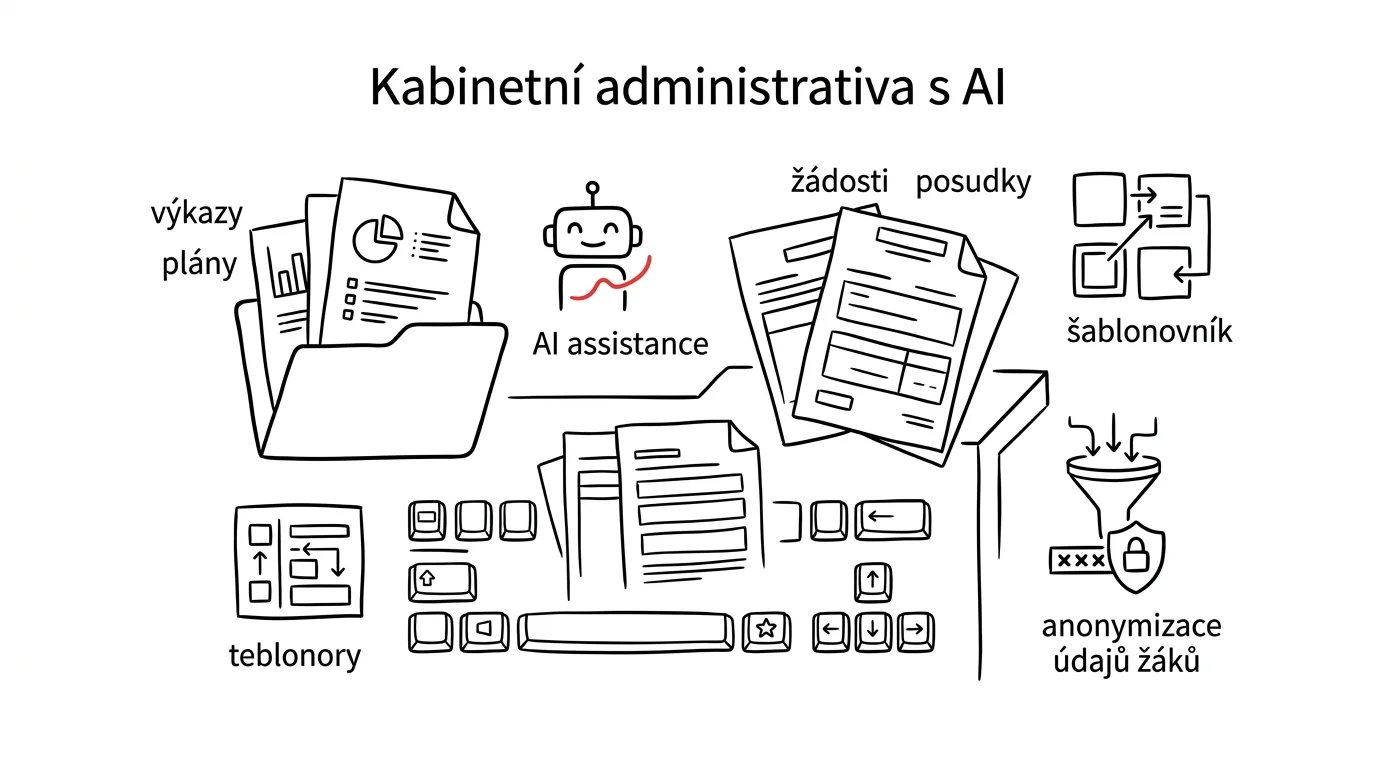
Teaching has two parts. The first is instruction, prep, and the kids — that's why you went into this line of work. The second is paperwork: pacing guides, input for the annual report, recommendation letters, grant applications, supply orders, inventories, reports to the district. Nobody likes it, and it still eats up several afternoons a month. And that second part is almost entirely mechanical — which is exactly what AI is good at.
This guide isn't about letting a machine decide what to teach. It's about no longer spending your Fridays retyping what's already in your head, in a notebook, or in last year's document. Structure, phrasing, checking against requirements, merging five versions into one template — all of that can be delegated. The content, the numbers, and the responsibility stay yours.
Two rules apply across the whole piece. First: documents with student data get anonymized before you put them anywhere near a chat. A name, an address, a diagnosis, a family situation — none of it belongs in a freely available chat tool. Second: whatever leaves the school, a human signs. The model can draft it, but a report to the district, a recommendation letter, or a grant application is always read, corrected, and sent by a specific person who's accountable for the content.
A typical scenario
Jana has been teaching middle school for nine years and is also a homeroom teacher and department chair. Her admin year always looks the same. Three afternoons in August on pacing guides, because last year's files are organized differently from this year's. Four college recommendation letters in January, each written from scratch. A grant application in February that she ends up not finishing, because the form has fourteen fields and she doesn't have a spare week. Input for the annual report in May, where she's trying to remember everything that happened that year. Supply-closet inventory in June, pieced together from a notebook and loose scraps of paper. About twelve afternoons a year total — and almost none of it is actually new work: last year's plan already exists, the notes on students already exist, the events happened and are logged in the class register and in emails.
Once Jana sets up her school's context, an anonymization habit, and a template library, her year looks different. Pacing guides take a morning, because the curriculum breakdown drops out of the school curriculum document and she just shifts blocks around based on her own experience. Recommendation letters take twenty minutes, because she writes notes as she goes and AI turns them into flowing text that she reads, edits, and signs. She finishes the grant application, because the call for proposals breaks down into a list of questions. The annual report grows out of one file she's kept updated all year. The time saved isn't from having fewer documents — it's from writing each one only once.
Phase 1: Setup — school context and the lines you don't cross
Before you write your first document, it's worth investing an hour in two things: a description of your school that AI gets every time, and a habit for how you handle student data. Skip the second one and sooner or later something goes wrong.
What must never go into a chat
Schools work with some of the most sensitive data there is: children's names, grades and behavior, health status, recommendations from counseling services, family and social situations. The principle has no exceptions: you only put a document into AI after you've stripped that out of it. In practice that means three habits. Replace names with a tag — "Student A," "Student B," or a role. Delete specific identifiers entirely — address, date of birth, the name of a previous school, the name of a counseling center. And watch the context, not just the names: the sentence "the only boy in the class who commutes from a neighboring town and has an aide" identifies a specific child just as reliably as a name would. Either generalize it, or it doesn't belong in the chat.
Above that sits a rule most schools already have as internal policy: sensitive data only goes into a paid tool with a contractual data-processing agreement, ideally one the school has approved. If you're not sure what's approved, ask administration before you start. Do the anonymizing itself in one pass, not sentence by sentence by hand:
Here's a text I need stripped of personal data before I work
with it further. It's a school document.

Do two things:
1. Rewrite the text, replacing all personal data with tags:
   student names → [STUDENT A], [STUDENT B]…, parent names →
   [PARENT/GUARDIAN A], colleague names → [TEACHER 1], school,
   town, and institution names → [SCHOOL], [TOWN], [INSTITUTION],
   birth dates, addresses, and ID numbers → [REDACTED].
2. Separately list any wording that doesn't contain a name but
   still identifies a specific person anyway (a unique
   combination of circumstances, a rare diagnosis, a description
   of a family situation). Suggest more general wording for each.

Don't change or summarize anything else in the text. Don't add
information that isn't already there.

Text:
[paste text]
You get back an anonymized version plus — the more valuable half — a list of spots you'd have missed on your own. Read the result: models occasionally miss one name buried in a long text. Keep the key linking a tag to a specific child in a file that never leaves your computer.
A context card for your school
The second investment is a description of the environment you work in: type and size of school, grade levels and subjects, information system, what your documents are called and what format administration wants them in, your acronym glossary, and who signs off on what. Write it up on one page and save it in a project with persistent context — that way AI has the description for every document and stops guessing at how things work at your school.
Phase 2: Pacing guides from the school curriculum
A pacing guide is a textbook example of work that looks creative and is ninety percent retyping. The learning outcomes are set by the school curriculum, the hours per week by the schedule, the school-year calendar too. The only creative part is the layout — and that's exactly the part that's already in your head.
From curriculum outcomes to a month-by-month breakdown
The process has three steps: paste in the wording of the learning outcomes from your school's curriculum for your subject and grade, add the real hours-per-week and calendar, and have a draft schedule built that you then adjust.
I teach [subject] in [7th] grade at [type of school]. Below
is the exact wording of the expected learning outcomes and
content from our school curriculum.

Hours per week: [2].
School year: [start date] to [end date].
Weeks I have to account for that fall through: [breaks,
project days, ski trip, testing days, professional development
days — with dates].

Build a pacing guide broken down by month. A table with
columns: month | topic | expected outcomes from the curriculum
(verbatim, shortened) | number of hours | note on how I'll
check understanding

Rules:
- work exclusively from the outcomes I pasted in; don't add
  content that isn't in the curriculum
- total hours can't exceed the real allotment after subtracting
  the weeks that fall through; leave 10 percent as a buffer
- put review hours at the end of each term
- where an outcome is too big for one month, split it and
  explain how you split it

Curriculum:
[paste outcomes and content]
You get back a schedule that's roughly three-quarters done. The remaining quarter is your own experience: you know this topic runs two hours longer with this particular class, and that nothing gets done the first week after the ski trip. Check the hour totals — models make arithmetic mistakes across a dozen rows.
Checking outcome coverage
The worst mistake in a pacing guide isn't a wrong order — it's a forgotten outcome. It surfaces during an observation or an audit, and it's an unnecessary mistake, because it's a mechanical comparison of two lists — exactly the kind of task AI is reliable at.
Compare two lists and give me a coverage check.

A) Expected outcomes from the school curriculum for [subject],
grade [grade]:
[paste verbatim]

B) My finished pacing guide:
[paste the guide]

Return four lists:
1. Curriculum outcomes not covered anywhere in the guide.
2. Outcomes covered only in passing (mentioned but with no
   dedicated hours) — for each, note where in the guide they
   appear and how many hours they got.
3. Topics in the guide with no basis in any curriculum outcome.
4. Outcomes covered more than once — where, and whether it
   makes sense as review or is a duplication.

Don't fix anything — just show the findings with a reference
to the relevant row.
You get back a list you can go through in five minutes, usually with two or three findings. Don't take point 3 as a criticism — some of what you teach beyond the curriculum is deliberate; it just means you should know about it when someone asks.
Fill in the cross-curricular themes column only once the guide is finished, with one follow-up question, and always with the condition that where nothing natural fits, the model should write "no connection." Skip that condition and you'll get a connection forced onto everything, because the model tries to be helpful — and a guide full of contrived links is worse than an empty cell.
Phase 3: Annual report and input for administration
Input for the annual report gets collected all year and written up in one evening in May — which is why half of what actually happened is missing from it. The fix is boring: one running file, and one prompt at the end.
A running file instead of trying to remember
Start one text file for the school year and log everything that might end up in the report, one sentence at a time: a competition and its result, a field trip, a project day, a new club, attending a training, a partnership with another organization. Date, one sentence, ten seconds. In May you paste the file into the prompt and don't have to remember anything.
Here are my running notes for the [year] school year — a date
and one sentence for each event. I need input for the annual
report for [subject / department / homeroom].

Build a text that:
- is organized into sections: instruction and its changes,
  events and field trips, competitions and their results,
  partnerships with other organizations, teacher professional
  development, materials and equipment
- is written factually, in past tense, without evaluative
  superlatives
- includes a date and a brief result for each item
- doesn't add anything that isn't in the notes

Where a note isn't enough (missing result, number of
participants, date), write [FILL IN: what] instead of guessing.
List every spot needing a fill-in at the end.

Notes:
[paste file]
You get back a draft plus a list of gaps you can fill in ten minutes from your notebook. The [FILL IN: ...] tags are there on purpose — without them, the model will invent a plausible-sounding participant count or competition placing just to make the sentence read well.
Numbers come from the school, not the model
The most dangerous spot in the whole report is numbers: student counts, admission-test success rates, survey response rates, grant amounts spent. None of them may originate in the chat. When a number is missing, the model writes one that fits the sentence and looks credible. Pull them from the information system or a spreadsheet and paste them in finished; if something needs calculating, the process is in the tip data analysis with AI. Then double-check even the numbers you pasted in against the source — the model occasionally rounds them when working them into a sentence.
A summary for administration and the district
Administration doesn't want your full section — it wants three paragraphs from it. That's a conversion AI does well — and also exactly where an unsupported claim is most likely to sneak in.
Make two shortened versions from this input.

1. FOR SCHOOL ADMINISTRATION — max 15 sentences: what happened
   in my subject this year, what the results were, what I need
   for next year (materials, hours, staffing support), and what
   didn't go well. No generic filler — every sentence should
   carry information.

2. FOR THE DISTRICT — max 8 sentences, in language understandable
   to someone who doesn't work in a school: what the department
   does in this area, what it achieved, and what that means for
   students.

Rules for both versions:
- use only facts from the input, don't add or generalize
  anything
- no evaluation like "outstanding" unless backed by a specific,
  documented result
- where the input has a [FILL IN] tag, keep it in the shortened
  version too

Input:
[paste]
Read the district version especially carefully: the shorter the text gets, the easier it is for "two students advanced to the regional round" to turn into "students regularly succeed at regional competitions." And the rule that runs through this whole guide applies here too: whatever leaves the school, a human signs — meaning someone reads the whole thing first.
Phase 4: Recommendation letters and report card comments
This is where the line is thinnest: AI must never decide anything about a child. A grade, a behavior assessment, a referral for evaluation, a recommended accommodation — those are decided by the teacher and approved by the school. What AI can do is turn your notes into flowing text and flag where you wrote a claim with nothing backing it up.
A recommendation letter for a student
A recommendation letter — for college admissions, an internship, or a scholarship — is harder to write than it should be: you have the material, but turning it into half a page of prose takes an hour. Anonymized notes go into the prompt; the name gets added only to the finished document.
I'm writing a recommendation letter for a student. Use the
tag [STUDENT A]; I'll add the name myself to the final
document.

Purpose of the letter: [college admissions / scholarship /
internship / study abroad]. Recipient: [institution]. Length:
[half a page].

My notes and evidence:
[concrete results, projects, competitions, behavior in group
work, documentable examples — each with when it happened]

Write a recommendation that:
- draws exclusively on my notes and doesn't add qualities I
  didn't mention
- backs every strength with a concrete example, not just an
  adjective
- is written in the first person, as a teacher who has taught
  this student for [3] years
- avoids superlatives I couldn't back up
- ends with one sentence on specifically how this student
  would be an asset to the recipient

Where I'm missing evidence for something, write [FILL IN: what]
instead of a generic phrase.
You get back text that usually needs two fixes: toning down phrasing that's stronger than reality, and adding the specific detail that's the whole reason you're writing the letter in the first place. Read it out loud — with a recommendation letter, more than with most things, it's obvious when the text doesn't sound like you.
Report card comments from running notes
The report card comment is the hardest genre of school paperwork: it has to be specific, understandable to parents, never insulting or evasive, and it gets written twenty times in a row. That condition holds regardless of AI — you need running notes. Without them you get generic sentences about effort and potential, whether a person or a machine writes them.
Here are my running notes on [STUDENT A] for [term], subject
[subject]:
[paste notes — what they've mastered, where they've improved,
where they struggle, specific situations with dates]

Write a draft report card comment for parents:
- length [8-12] sentences
- structure: what the student can do (with an example), how
  they've progressed this term, where they struggle (factually,
  without labels), what specifically I recommend for practice,
  and how the family can help
- language understandable to someone with no background in
  education
- describe behavior and performance, not the child's character
  ("made errors in his last three assignments in...," not
  "he's careless")
- don't state any diagnosis, even if the notes imply one

Where the notes don't support a claim, write [EVIDENCE MISSING]
instead of a generic sentence.
Rewrite the draft in your own words — and you genuinely need to, because twenty comments generated from one prompt end up noticeably similar, and parents who compare notes with each other will notice.
Once the text is finished, run one more short pass: ask the model to read it "through the eyes of a parent finding this in their mailbox" and to list phrasing that judges character instead of behavior, claims with no example behind them, sentences readable as a criticism of the family, and spots so evasive a parent can't tell if something is good or bad.
Phase 5: Grant applications and funding calls
A grant application is a discipline where patience matters more than a good idea: the form has fifteen fields, the call for proposals runs thirty pages, and activities have to be described in language that matches the required indicators. The idea, the numbers, and the facts come from you — the model handles structure, phrasing, and checking against requirements.
Break the call for proposals into a list of questions
The first and most useful step. Instead of reading a thirty-page call, you get a list of what it's actually asking for, and you immediately see where you don't have an answer.
Here's the text of a call for proposals (or its substantive
parts) for a grant program our school wants to apply to.

Break it down into a working list:
1. Who is eligible and what conditions must be met — check
   against the text whether we qualify (we are [type of school,
   district, size]).
2. What activities are eligible for funding, and what's
   explicitly excluded.
3. Every field and attachment we need to fill in or provide —
   a numbered list, one sentence per item on what's being asked.
4. Required indicators and how they're measured.
5. Deadlines, including anything that has to happen before
   submission.
6. Budget rules: what counts as an eligible expense, what the
   limits are, and whether matching funds are required.

Work exclusively from the pasted text. Where the text doesn't
answer something or is ambiguous, write [NOT FOUND IN THE CALL]
and add a question I should ask the funder — don't guess.

Call for proposals:
[paste text]
Don't ignore the [NOT FOUND IN THE CALL] tags: grant program rules change, and the model's general knowledge may not apply to this specific call. Verify unclear points with the funder — five minutes on the phone protects the whole application.
Describing activities and goals
The "activity description" field is where most applications lose points — not because the activity is bad, but because it's described in generalities that don't say what will actually happen.
I'm writing an application for the [name of program]. The
"activity description" field needs to be [1800] characters.

The activity we want to run (my notes):
[what specifically, for whom, how many kids, how often, who
will lead it, where it will happen, what we need for it, how
long it runs]

The program goal this activity addresses:
[verbatim wording from the call]

Write a description that:
- opens with what will actually happen, not with why the topic
  matters
- includes counts, frequency, and timeframe from my notes
- explicitly shows the link to the cited program goal
- describes how we'll know the activity succeeded
- fits within the character limit

Don't add any numbers I didn't give you. Where you need a number
I haven't provided, write [FILL IN NUMBER: what].
Check two things: that every number really came from you, and that the description doesn't sound more ambitious than what you can actually deliver — grant funding gets held to what you wrote, and an overstated description comes back to bite you as an unmet indicator.
Budget and indicators
The budget is one place the model must never be allowed to compute anything. Line items, unit costs, and quantities come from you, from your own materials and quotes; the model helps check whether the budget is complete and matches the call's rules.
Here's my grant application budget (line items, quantities, and
amounts are mine, from real quotes) and the eligibility rules
from the call.

Budget:
[paste table: line item | quantity | unit cost | total |
expense category]

Rules from the call:
[paste verbatim]

Check it and return findings:
1. Line items that, per the pasted rules, aren't an eligible
   expense, or where it's unclear from the rules.
2. Expense categories where the limit stated in the call is
   exceeded.
3. Costs that logically belong to the described activities but
   are missing from the budget (transportation, insurance,
   materials, instructor fees) — as a question only, not a
   line item you add.
4. Line items a reviewer is likely to want justified.

Don't recalculate totals and don't fill in amounts — I'll do the
arithmetic myself in the spreadsheet. Just return findings with
a reference to the row.
Point 3 typically catches forgotten transportation or materials costs. The last paragraph of the prompt is deliberate: totals belong in a spreadsheet, where they can be recalculated, not in text that merely looks right.
Before you submit, run the finished application back through the call breakdown from step one: requirement by requirement, rated MET / NOT MET / CAN'T VERIFY FROM TEXT, with a check on whether numbers agree across every section of the application. A mismatch in numbers is the most common formatting error: twenty kids in the activity description and fifteen in the indicators is exactly what a reviewer will find.
Phase 6: Orders, inventory, and routine paperwork
Day-to-day admin work is individually trivial and collectively steals the most time. The key is simple: don't retype — convert. From a photo, from notes, from an email into the format the school wants.
An order from scattered requests
A supply order usually grows out of what colleagues told you in the hallway, wrote in three separate emails, and jotted on a scrap of paper. Paste that raw list in as-is, add the budget, and ask for a table with columns for item, quantity, who it's for, a one-sentence justification, and priority (essential / useful / can wait) — plus duplicates merged, unclear items flagged, and a suggested purchase order in case the budget doesn't stretch far enough.
The prompt needs one extra sentence, without which the output is useless: don't fill in or estimate prices. The model will invent amounts, they'll look realistic, and a budget built on them won't hold up.
Inventory from photos and scraps of paper
Supply-closet inventory is an hour of retyping from a notebook into a spreadsheet. The faster route: photograph the shelves and the inventory tags with your phone and have a list built from that — models can read handwriting and scans, as shown in the tip on scanning paper with your phone.
Attached are photos of the shelves in the [subject] supply
closet and photos of my handwritten inventory list.

Build an inventory table from them with columns:
item | quantity | location (shelf / cabinet, per the photo) |
condition (new / usable / damaged / illegible) | inventory
number, if visible on a tag

Rules:
- anything you can't reliably read from a photo, mark as
  [ILLEGIBLE] and note which photo and item it's from — don't
  guess
- only give a quantity where you can actually count it from the
  image; otherwise write [COUNT MANUALLY]
- transcribe handwriting verbatim; don't "correct" names to
  what seems to make sense to you

At the end, list items that are in my handwritten list but that
you don't see on the shelf photos.
That last point is the biggest payoff: the gap between the list and reality is the entire reason you're doing an inventory. Verify counts and inventory numbers by eye — OCR misreads digits most often.
For short routine texts (a request for course reimbursement, information for parents about a field trip, a schedule change notice), the process is always the same: give the recipient, the single outcome you want, and the verified facts — and ask for text under ten sentences, where the first sentence says what it's about and the last says what the recipient needs to do and by when.
Phase 7: A template library for recurring documents
This is the phase that turns the guide into a system. Everything before this saves time once; a template library saves time every time, because a document you've polished once gets filled in the next time, not rewritten.
What belongs in the template library
Any document you've written more than twice in the past two years is a template candidate: pacing guide, field-trip plan with permission slips, pre-event information for parents, post-event report, recommendation letter, supply order, department meeting minutes. Ten to fifteen templates cover most of a year's paperwork — and you build them best from several of last year's versions of the same document.
Attached are [4] versions of the same type of document that
I've written over the past few years: [document type].

Turn them into a single template:
1. Find the common structure — which parts repeat across all
   versions, and in what order.
2. Leave text that's identical every time unchanged.
3. Replace text that varies with a bracketed placeholder that
   describes what goes there: [event date], [number of
   students], [chaperone's name].
4. Flag parts that appear in only some versions as optional,
   and note when they're used.
5. At the end, add a checklist: what needs to be filled in,
   what needs to be attached, and who has to approve it before
   it goes out.

Separately note what's inconsistent across the versions and
suggest which variant to adopt as the standard.

Versions:
[paste documents]
The list of inconsistencies tends to run surprisingly long, because nobody writes the same document the same way twice. Save the template somewhere colleagues can reach it: one kept in a single teacher's personal notes saves time for one person. How to run a library of reusable text more broadly is covered in the tip a prompt library.
Checking a finished document against the template
The second half of the payoff: before a document goes out, it passes through the same filter every time. Have it compared against the template and its checklist, and get back four things — unfilled placeholders, missing sections from the template, values that appear more than once in the document and don't match (a different date in the intro than in the table, a different student count), and personal data that shouldn't be in a document leaving the school. Include that last check even where you think there's no personal data — it most often slips in through an example, an attachment, or a leftover sentence from last year's version.
The template library goes stale, though: the curriculum changes, administration wants a different format, a grant form gets new fields. Set one date a year — the end of August is a natural choice — to go through the templates and fix what's out of date. The tip checklists for recurring processes covers maintaining recurring workflows more generally.
Common mistakes
- Putting a document with student names into a chat. The most serious mistake. Anonymize before a text goes anywhere near a tool, and watch for wording that identifies a child even without a name. Sensitive material only goes into a tool with a contractual data-processing agreement.
- Letting AI invent numbers. Student counts, success rates, budget line items — the model fills in a missing number so the sentence reads well. Only a number from the system, a spreadsheet, or a quote may go into a document.
- Sending text without reading it. Especially true for shortened versions for administration, where trimming easily produces a claim you never actually meant. Whatever leaves the school, a human signs — and signing means reading the whole thing.
- Having a comment written with no notes behind it. A comment built from nothing is a pile of clichés about effort and potential. Without running notes there's no point running the prompt; with them, it's five minutes of work.
- Trusting what the model knows about a grant call. The rules change every year. Work only with the pasted text of the call and verify unclear points with the funder.
- Building a template from a single document. One version produces a copy, not a template. Only comparing several versions reveals what's actually variable and what's just an accident of last year's wording.
The best tools
- Projects (persistent context) — a saved context card for your school, document formats, and acronym glossary; then you just paste in the material and the output always looks the same.
- Claude Cowork — working directly on a folder of documents on your computer: templates, last year's versions, and source material stay in files instead of being copy-pasted into a chat.
- Reading photos and scans — handwritten lists, supply-closet tags, paper forms from colleagues; converted into a table without manual retyping.
- A spreadsheet — where every number lives: budget totals, student counts, inventory. They go into text finished, not calculated inside a conversation.
- A shared school folder — one place for the template library that colleagues can access.
What you get out of it
- Time: roughly two-thirds less time writing recurring documents — pacing guides in a morning instead of three afternoons, annual-report input in an hour instead of an evening, a recommendation letter in twenty minutes. Several full workdays a year.
- Money: indirectly, through grants. An application you used to abandon because of a fourteen-field form now gets submitted — and an application never submitted has a zero percent success rate. Budget checks also protect against ineligible expenses that get clawed back.
- Peace of mind: paperwork stops hanging over your weekend. Once you know a draft takes an hour to produce from a running file, you stop putting it off — and putting it off is the most expensive part of admin work.
- Quality: documents are consistent because they come from the same template, and complete because each one is checked against requirements. A forgotten outcome in a pacing guide or a missing attachment on an application are mistakes a checking prompt catches before an audit does.
Pro tip
The strongest effect doesn't happen for you alone — it happens in the staff room. Save the template library and your school's context card to a shared folder, show colleagues once at a department meeting how a pacing guide gets built from it, and it saves ten people the work instead of one — and document formats become consistent across the school. Start with one document that everyone at the school writes (pre-event information for parents is usually an ideal candidate): turn it into a solid template and send it around.
And the rule above everything else: AI proposes, a human approves — and for documents about children, that goes double. The model is good at structure, phrasing, and mechanical checking. Decisions about a student, the number in a report, and the signature on a document leaving the school are yours — and that's as it should be, because the responsibility for them is yours too.
Want to go deeper? The handbook has a whole chapter on it — AI and automation.
Similar tips
A prompt library: don't rewrite what already works
A complete guide with prompts: where to keep a library, what a good entry looks like, how to version and improve prompts after every use, how to share them across a team — and ten prompts every library should have.
Let AI find the holes in your proposal
A complete guide with prompts for a hard-nosed critique: how to talk AI out of agreeing with you, premortem analysis of a decision, red-teaming a proposal or a plan, pitting two models against each other — and when to ignore the critique instead.
AI makes things up with total confidence. Verify it
A complete guide with prompts: why models hallucinate, which types of claims fail most often, three verification methods, the two-source rule, and a ready-made workflow for content that leaves the company.
Liked this tip?
I send one like it every week by email. Two minutes to read, hours saved.
1 tip a week · no spam · unsubscribe in one click