Tips & tricks · AI · Everywhere · ~2 evenings a week
Teaching with AI: lesson prep in an hour instead of an evening
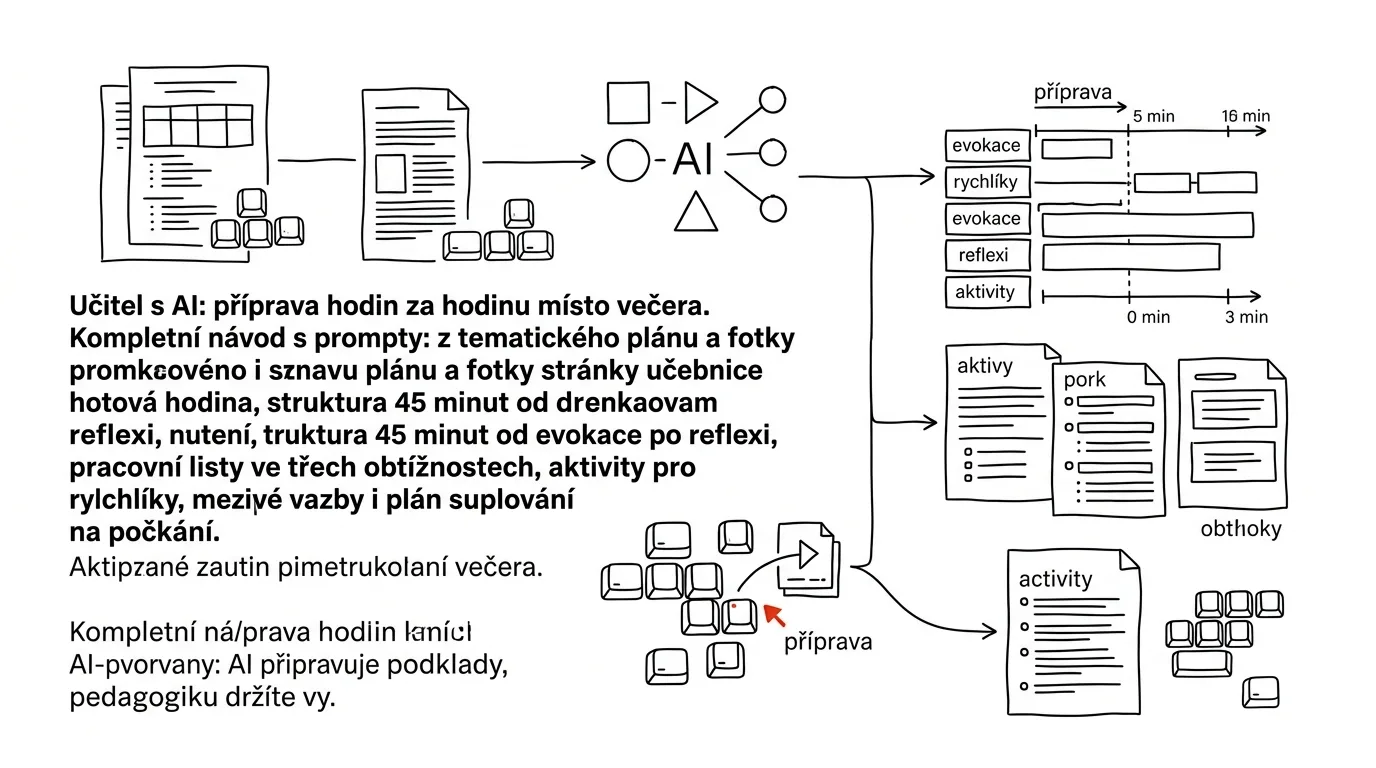
Lesson prep has two parts, and only one of them is actually teaching. The first is craft that can't be delegated: you know that Jake by the window loses the thread the moment a task has two clauses in it, that this class can't sit through twenty straight minutes of lecture after lunch, and that a hockey example lands better than a cake example. The second part is copying, rewording, inventing a fifth word problem about the same thing, and rewriting the same handout into three difficulty levels — and that second part is what eats your evenings.
AI is good at the second part and knows nothing about the first. This guide is built on that split: the model drafts materials, variants, and scaffolding; you, the teacher, decide what actually happens in your classroom. This isn't about teaching faster or teaching less. It's about getting back the part of lesson prep that's the reason you went into teaching in the first place.
The guide follows the phases of an ordinary week: setup, breaking a curriculum unit down into individual lessons, structuring a 45-minute class, worksheets at three difficulty levels, activities for fast finishers, and finally substitute teaching you find out about ten minutes before the bell. Every phase has prompts ready to copy — just fill in the brackets. You don't have to read it all in one sitting; jump to whichever phase is pressing on you today.
A typical scenario
Jana teaches history and language arts in middle school, twenty-two class periods a week across four grade levels. Sunday evening used to look the same for years: at nine she'd open her curriculum map, at ten she'd plan the first lesson, at eleven the second, and by midnight she'd be falling asleep over a worksheet she'd end up not using anyway. She handled differentiation by telling her fast finishers to “do exercise 7 too” and simplifying handouts by hand, on her break, for the two students with learning accommodations.
After resetting her process, the week looks different. On Sunday she sits down for one hour: she has a project with her subject's curriculum standards, her unit plan, and a description of both classes already loaded in. She photographs the three textbook pages she's covering that week and has activities drafted from them. She cuts two-thirds of the suggestions — she knows her seventh-graders. From what's left she builds four lessons, a three-level worksheet for each, and one bonus activity for the kids who finish in eight minutes. On Wednesday, the staff room tells her she's covering an eighth-grade science class right after the long break; by the time she reaches the department office, she has a lesson plan on her tablet for whatever topic that class happens to be on.
The savings aren't in Jana teaching less. They're in the mechanical part of prep dropping from ten hours a week to two — and in differentiation stopping being the thing that “unfortunately, there wasn't time for this year.”
Phase 1: set it up once, then just ask
Most disappointment with AI in schools comes from the first attempt: a teacher types “plan a lesson on the water cycle for seventh grade” and gets back a generic text that could belong to any school in any country. That's not a tool failure — the model simply knows nothing about your curriculum, your time allotment, or your class. The lesson you get back is the average of everything anyone has ever written about the water cycle.
Setting up context is an evening's work once a term, and it changes the output more than any amount of prompt-tweaking ever will.
One project per subject and grade
In claude.ai (and similarly in other tools), Projects are named spaces with persistent context — you upload materials and write instructions that apply to every chat inside them. Set up one project per subject-and-grade combination: “History, Grade 7,” “Language Arts, Grade 8.” Don't lump everything into a single project; the context gets diluted and the model starts mixing up grade levels.
Upload into the project: the relevant part of your curriculum standards (expected outcomes and content for that subject and grade), your unit plan for the school year, the table of contents of the textbook you use, and one or two sample materials of your own — a worksheet and a lesson plan that have worked well for you. Those samples are the single most valuable item in the project: they let the model match your format, your wording length, and your tone without you having to describe any of it. More on this technique in show AI a sample, and more generally on working with persistent context in projects and context.
Then write your conditions into the project instructions. Write this text once and just tweak it afterward:
You're an experienced [history] teacher in a US middle school, and
you're preparing teaching materials for me. This applies to every
conversation in this project:

Class: [7B], [24] students, each period is [45] minutes, [2] periods
a week.
Classroom setup: [projector, wifi, students without tablets, whiteboard].
Class level: [description — e.g. a wide spread of ability, five
students read below grade level, three are well ahead, two students
are English language learners].
Accommodations: [e.g. two students with IEPs — shorter instructions,
extra time].
Textbook: [publisher, title, grade level].

How I like materials written:
- instructions for students in short sentences, one instruction =
  one sentence
- no addressing students as "kids" or "everyone" — keep it neutral
- give a time estimate in minutes for every activity
- note what I need to physically prepare for each activity

Rules:
- work from the materials in the project (curriculum standards, unit
  plan, textbook)
- if you're not sure about a fact, date, or name, write VERIFY —
  don't guess
- never invent citations from academic literature
- don't write finished grades or evaluations of students — that's
  my call
You'll get a confirmation back, and from then on you won't need to repeat the context. Watch two things: describe your class without names (more on that below), and take the equipment paragraph seriously — without it, the model will keep suggesting tablet-based activities you don't have.
No names, no diagnoses
You don't need a single student name in the chat to prep a lesson. Describe the type, not the person: “three students need instructions broken into steps” instead of “Jake has dysgraphia.” Diagnoses, evaluations from school psychological services, names, and health information about students have no place in an ordinary chat at all — and if a school needs to process that kind of data, it belongs only in a paid school account with a contractual data-protection agreement, never in a teacher's personal account. In practice this changes nothing about the output: the model works from a description of a need just as well as it works from a name.
Your own style as the sample
Upload two materials you made yourself and are happy with. Then run this prompt once and have it write out what it picked up from your style:
You have two of my worksheets in this project. Describe my style so
that someone could use the description to make more like them:

1. How do I phrase instructions (sentence length, how I address
   students, verb-first phrasing?)
2. How long are the tasks and how many do I put on one sheet
3. What types of tasks come up again and again, and which do I
   never use
4. What does my header look like and what's in it
5. What do I do differently from what's typical in commercial
   materials

Write it as a guide for someone who has to produce a worksheet in
the same spirit. At the end, list 3 things you can't tell from
those two samples that I should fill in for you.
Read the output and save it back into your project instructions. It's the cheapest way to stop getting back materials that scream “AI-generated” the moment you look at them.
Phase 2: from unit plan to an actual lesson
Your unit plan says November covers “the Industrial Revolution — 3 lessons.” Between that line and what you're actually doing at 8:30 on Tuesday morning is an evening of work. This is where the most time gets saved.
Breaking a topic down into lessons
The first step isn't planning a lesson — it's splitting the topic up. How many lessons, what goes in which one, where you test, where you catch up. Have a breakdown drafted, then rewrite it against the reality of your actual schedule.
My unit plan gives me [3] class periods total for the topic
[topic name]. Expected outcomes from the curriculum standards:
[paste the outcomes].

Propose a breakdown into individual lessons. For each lesson give:
1. A lesson title and main goal phrased as what the student can do
   by the end (active verb, measurable)
2. Key terms I'll introduce in that lesson (max 5 per lesson)
3. What that lesson builds on from earlier material
4. What's usually hardest for students at this point, and why
5. How I can tell in 3 minutes at the end of the lesson whether it
   landed

At the end, note what won't fit into 3 lessons and what I should
deliberately cut or leave as an overview only.
You'll get back a structure with visible logic — point 4 especially is worth reading, since it usually lands right where students actually drop off, and point 5 is the seed of the reflection step in Phase 3. Treat the closing paragraph about what to cut as a suggestion: anything listed as a required outcome in your curriculum standards can't be dropped, but the depth you go into is up to you.
A photo of the textbook page as source material
This is the moment prep really changes. Models can read images, including scans, tables, and handwritten notes in the margin. Photograph the two or three textbook pages you're covering this week and use them as source material. It saves retyping, and more importantly, it guarantees the activities stick to the actual text your students have in front of them. A scanning app helps here — see scan paper with your phone — a scan is straight, high-contrast, and reads better than a handheld photo.
I'm attaching photos of pages [78-80] of our textbook, which I'm
covering on Tuesday.

First, tell me what you see on the pages: main text, images, tables,
exercises, summary. Where the text is illegible, say so and don't
guess at it.

Then propose 6 activities based on these pages:
- 2 for an opening hook (max 5 minutes, no materials needed)
- 2 for working with the text directly in the textbook (students
  search it, not copy from it)
- 2 for checking understanding (pairs or small groups)

For each activity: a name, the time it takes, the exact wording I
can read aloud to students, what I need for it, and how I'll know
the activity worked.

Activities must come from what's on the pages. Don't add anything
that isn't there — and if you do suggest something extra, label it
BEYOND THE TEXT.
The first paragraph of the prompt is deliberate: before you touch the activities, read what the model actually saw on the pages. If half a table is missing from the summary or it misread a date, that saves you building a whole lesson on a mistake. Then pick activities pencil in hand; out of six suggestions you'll typically use two.
A note on materials: you're using the textbook photo as source material for your own prep, not as something you redistribute. The worksheet you generate is yours; the textbook page belongs to the publisher — so it's the worksheet, not the scan, that belongs in a shared folder for students.
Check the facts, especially the local ones
Models make things up, and they're most confident doing it with details that look boring: dates, names of regional figures, population counts, exact wording of rules. The risk is higher with facts specific to your own country than with broad international topics. So the rule for a classroom is simple: anything that ends up on the board or on a worksheet as fact has to pass through you first. Not the whole text — just the hard data, and have that listed out separately:
Go through this material for students and list, in a table, every
claim that can be checked: dates, names, numbers, titles, definitions,
anything phrased as "it's generally accepted that."

Columns: claim | where in the text | how confident (confident /
fairly confident / uncertain) | where I should verify it.

Don't claim it's true. Just list what I need to check, ranked from
riskiest to least risky.

[paste the material]
You'll get a list you can check against the textbook in a few minutes. The process is the same as in fact-checking with AI — and in a classroom it matters even more, because students remember a wrong date from their teacher more reliably than the right one from their textbook.
Phase 3: structuring 45 minutes
A lesson isn't a list of activities, it's a curve. Something has to open it, something has to be its center of gravity, something has to let it settle. The most common flaw in generated lesson plans shows up right here: the model piles on five good activities that add up to seventy minutes and have no real payoff.
A structure that works well for an ordinary 45-minute period: warm-up (3–5 minutes, surface what students already know and raise a question), direct instruction or discovery (12–15 minutes, new material in chunks), practice (15–20 minutes, students work alone or in pairs), and wrap-up (5 minutes, what we learned and what's still unclear). It's not the only workable structure, but it's one that holds attention and leaves room for differentiation.
A skeleton with a timer
Plan a lesson on [topic] for [7B] using my context in the project.
The structure and timing are fixed:

- warm-up, 5 minutes
- instruction in chunks, 15 minutes (split into 2-3 parts, with a
  quick comprehension check between them)
- practice, 18 minutes
- wrap-up, 5 minutes
- buffer, 2 minutes

Lesson goal: [what the student can do by the end].
Builds on: [what we covered last lesson].

For each block, give:
1. What the teacher does (concretely, not "explains the material")
2. What students do
3. Exact wording I can read aloud
4. What I need to prepare in advance
5. What to cut if the block runs long

At the end, add three sentences I can say at the start of class to
tell students what's coming and why.
You'll get a plan you can print and keep on your desk. Point 5 is the reason this prompt earns its place: pre-planned cuts are the difference between a lesson that ends on the wrap-up and one that ends with the bell going off mid-exercise. Treat the timing as a draft — the model underestimates classroom-management time, so when the plan says handing out worksheets takes a minute, budget three.
A warm-up that takes two minutes
The warm-up is the most underrated part of a lesson, and also the part where AI helps the most — because coming up with your fiftieth good opening question of the year is exhausting.
I need 8 warm-up ideas for the topic [topic], for [12-13]-year-old
students. Each one must:
- take no more than 4 minutes including discussion
- need no materials beyond the whiteboard
- work even for students who know nothing about the topic yet
- lead into a question that direct instruction will answer

Different types: a provocative statement to vote on, a number to
estimate, a riddle, an image to describe, a real-life situation, a
comparison of two things, a word to unpack, a myth to debunk.

For each one, give: the exact wording of what I'll say, how to
respond to typical answers, and a one-sentence bridge into
instruction.
You'll get a stockpile, and you'll keep two or three of them permanently. Watch age-appropriateness: models write for students about two years older than the age you specify, mostly in vocabulary. Read the provocative statements carefully — every so often one slips in that would needlessly open up a topic you don't actually want the class debating.
Instruction broken into chunks
Fifteen minutes of continuous lecture is more than seventh graders can hold, and you know it. Splitting it into two or three chunks with a quick check between them is a technique the model can handle in detail — including examples and analogies; see the more general tip explain it to me like.
Split instruction on [topic] into 3 chunks of roughly 5 minutes each.

For each chunk:
1. The core content that has to land (3-5 sentences I could read
   word for word)
2. One analogy from the world of [12]-year-olds — not from
   economics or history, but from what they actually know: games,
   sports, siblings, school, phones
3. One concrete example, ideally something local/familiar
4. A comprehension-check question I can ask the whole class and use
   to tell whether I can move on (not a yes/no question)
5. The most common misconception students have at this point, and
   one sentence that breaks it

Write it so I can print it and keep it on my desk.
Point 5 is the real find. Misconceptions — that pressure and force are the same thing, that an adjective is “a word that describes something,” that a whole historical period was uniformly grim — are exactly where instruction breaks down, and the model knows a surprising number of them for common school topics. Check them against your own experience, and keep the ones that ring true for your class permanently.
Wrap-up and exit tickets
The last five minutes are, in practice, the first thing sacrificed, and that's a shame — without a wrap-up, a lesson just dissolves. An exit ticket — one question on a small slip of paper, handed in at the door — is the fastest way to find out what students are actually leaving with.
Propose 5 ways to close a lesson on [topic], each under 5 minutes:

1. Exit ticket — 2 questions answerable in one sentence, one
   checking understanding and one checking what's still unclear
2. Student summary — instructions for summarizing the topic in
   their own words
3. Application question — where this material shows up outside school
4. A quick whole-class check with no writing (thumbs, fingers,
   cards)
5. A homework task that builds on today, max 15 minutes of work

For each option, say what the result will tell me and what I'd do
with it next lesson. For the exit ticket, add how I can grade 24 of
them in 5 minutes during the break.
The last sentence matters: a wrap-up you can't get through in time stops happening after the second week. Ask for a format you can actually read on your way to the staff room.
Phase 4: worksheets at three difficulty levels
Differentiation is usually the first thing to fall off the prep list, because it means writing the same thing three times. And that's exactly where the effort-to-payoff ratio is best: the model produces three versions in the same time it takes to produce one.
Why three, not two
Two levels — “regular” and “easier” — split a class into two camps and label them clearly. Three versions work better, because the middle one is the default and the other two are both branch-offs: one with more support, one with more stretch. The difference between versions is not the amount of work, it's the level of support:
- Supported version (for students who need help finding direction): same content, but instructions broken into steps, the first item solved as a model, a word or formula bank provided, shorter texts, a hint on every item. The goal is the same; the path is paved.
- Standard version: what most of the class should be able to handle, matching the expected outcomes.
- Fast-finisher version: same content, but items requiring application, comparison, or justification. Not “more examples” — that's a punishment for finishing fast. More like “why does this work” and “what would happen if.”
That last point is the most common mistake in differentiation, and it's worth saying out loud: whoever finishes first must not get a second helping of the same thing. They'll learn to work slower.
A prompt for three versions
Produce a worksheet on [topic] for [7th grade] in three versions.
The content and the goal are the same across all three — only the
level of support differs. Length for each version: [15] minutes of
work.

VERSION A (supported):
- instructions broken into numbered steps, one instruction = one
  sentence
- the first item fully solved as a model
- an answer bank or word bank offered for items
- shorter texts, key terms in bold
- 3 check-in questions at the end that anyone who completed the
  sheet can answer

VERSION B (standard):
- matches the curriculum's expected outcomes
- a mix of item types: fill-in-the-blank, working with a text, one
  open-ended item

VERSION C (extension):
- same content, but items requiring application, comparison, and
  justification
- one item with no single correct answer, where students argue a
  case
- no "more of the same"

Give an answer key for each version on a separate sheet. For
open-ended items, note what must be in the answer for it to count.
Don't label the sheets A/B/C anywhere students would see it — call
the versions [Blue / Green / Orange sheet].
You'll get three sheets and a key. The last paragraph handles the social side of this: numbered levels get translated by the class into “smart kids and dumb kids” within a single lesson; colors or neutral names buy you time. Check Version A especially — models tend to “simplify” it by stripping out the actual content and leaving nothing but fill-in-the-blank busywork. The support should be in the path, not the destination.
Keeping it from becoming a label
A technique that works well in practice: don't hand out sheets by name — put them in three spots around the room and let students choose, with the option to switch after ten minutes. Most students pick correctly on their own; you nudge two or three quietly — and which sheet a student picks turns out to be information about their self-assessment you wouldn't otherwise get. The first time you use this, say out loud that all three lead to the same goal and differ only in how much support they give; it sounds like a small thing, and it changes the whole atmosphere.
Phase 5: fast finishers and cross-curricular links
A stockpile for students done in eight minutes
Every class has three or four students who finish an assignment before the rest have finished reading it. Without a prepared branch-off ready for them, they turn into either disruptions or students who learn to coast. A stockpile of activities can be built once, for the whole topic at once.
For the topic [topic], prepare 6 activities for students who finish
regular work early. Conditions:
- each one is self-contained; the student can do it without me
  explaining anything
- instructions fit on a postcard-sized card
- takes 5 to 12 minutes
- needs no internet, nothing beyond a notebook and the textbook
- the result can be shown to the class or used in a later lesson

Types I want represented: a justification task ("why"), a
counterexample task ("when does this not hold"), writing a question
for classmates, retelling from a different perspective, connecting
it to something they know from elsewhere, a small lookup task in
the textbook.

For each one, give the exact wording for the card, and one sentence
for me: what the student gets out of it beyond the regular task.
You'll get six cards. Print them, laminate them, and keep them in a box on your desk — one set lasts for years. Activities like “write a question for your classmates” have a bonus effect: you end up with a bank of tasks phrased in the students' own language.
Cross-curricular links
Links to other subjects are required by curriculum standards, and in practice they get written into paperwork after the fact and never show up in an actual lesson. Models are good at generating them, because this is exactly the kind of connection-making they're strong at.
For the topic [topic] in [history, grade 7], propose cross-curricular
links. I'm only interested in ones I can use directly in class, not
formal mentions for paperwork.

For each of these subjects [geography, language arts, math, art,
civics], propose one connection:
- what's specifically covered in that subject and how it relates
- an activity, 5-10 minutes, that shows the link
- one question that opens the connection

Then suggest how to weave in the cross-curricular theme [e.g. media
literacy] so it doesn't feel forced.

At the end, give 2 ideas for a short collaboration with a colleague
from another subject — what I'd propose to them and what it would
involve for both of us.
You'll get suggestions, and half of them will feel artificial — skip links like “math deals with data too.” But the other half tend to be exactly what makes a topic memorable for students. The last point is a suggestion for the staff room, not for your lesson plan; it often turns into a project day.
Phase 6: substitute teaching on the fly
Covering a class is the whole system's stress test. Ten minutes before the bell you find out you're covering an eighth-grade science class you don't teach, and the only thing you have is a topic from the gradebook. Without prep, that turns into “read page 44 and write a summary.”
Ten minutes to the bell
In 10 minutes I'm covering [science] for [8th] grade. I don't teach
this subject. Last topic covered, per the gradebook: [topic]. I
have [a whiteboard and a projector], students have [a textbook and
a notebook]. I don't know exactly how far they got, and I don't
want to get ahead of their regular teacher's instruction.

Give me a lesson plan that:
- doesn't introduce new material, just practices and reinforces
  what they already have
- works even if half the class is absent or missing a textbook
- doesn't require me to understand the subject in depth
- keeps the students who already know the material engaged too

Structure: 5 minutes opening and finding out where they are, 15
minutes group work, 15 minutes going over it together, 10 minutes
a review game or quiz.

For each block, give exact wording I can read aloud, and for the
quiz, give both questions and answers. Add 3 questions I can ask at
the start to find out where they actually are, and what to do if it
turns out they're somewhere completely different.
You'll get a plan you can read on the way up the stairs. That last paragraph is what makes it usable: gradebook entries run behind, and without a plan B you end up facing a class that insists “we haven't covered this yet.” Don't take facts in the plan as settled, either — in a subject that isn't yours, you have no way to catch it if the model got something wrong. Stick to reviewing what's already in the textbook and steer clear of new material; an honest “that's not my subject, ask on Friday” beats a guess.
A bank of all-purpose lessons
Smarter than improvising is having a stockpile ready. Once a term, generate a set of lessons that work in any middle-school classroom and any subject — and keep them printed in a folder in your department office.
Prepare 5 all-purpose backup lessons for middle school, usable in
any subject and grade level, for when I'm covering a class with no
prep time.

Conditions: 45 minutes, no materials beyond the whiteboard and
notebooks, works for 10 or 30 students, requires no subject
expertise, has a clear structure so the class doesn't fall apart.

Choose from: working with a text and building an argument, writing
questions, a structured debate, solving a mock scenario, a group
presentation, logic puzzles.

For each lesson: a title, a goal, block-by-block timing, exact
wording to read aloud, group rules, and what to do if the activity
falls flat after five minutes.

Write it so a colleague who knows nothing about the class could
pick it up and run it.
Five printed sheets in a folder eliminate an entire category of stress. Try one of them out in your own classroom first — that's the only place you'll find out whether the instructions actually hold up.
Common mistakes
- Giving a topic with no class context. “Plan a lesson on fractions for sixth grade” returns the average of the internet. Without curriculum standards, time allotment, equipment, and a class description, the output is just raw material you'll end up rewriting entirely anyway.
- Taking a generated plan without reading it all the way through. The timing and the reading level are usually what's off. A lesson you're reading for the first time in front of the class is worse than no lesson plan at all.
- Leaving unverified facts in a material. Models invent dates, names, and numbers with total confidence. Students remember a mistake from their teacher better than the correct fact from their textbook.
- Putting student names, diagnoses, or evaluation reports into a chat. Describe the need, not the person. Sensitive data belongs only in a school account with a contractual data-protection agreement — never in a personal account.
- Differentiating by quantity. A fast finisher rewarded with five more of the same problem learns to stop being a fast finisher. An extension version has to go deeper, not longer.
- Letting AI make the pedagogical calls. The model doesn't know your class, the mood after a long break, or that this particular group has hated group work ever since last year. A suggestion is a suggestion; AI drafts the materials, the teacher decides on the lesson.
The best tools
- Claude Projects — one project per subject and grade, loaded with curriculum standards, a unit plan, and sample materials; context doesn't need repeating in every chat.
- Reading photos and scans — a textbook page, a handwritten lesson plan from last year, or notes in the margin can all be used as source material without retyping.
- Claude Cowork — working across a folder of materials for a whole subject: the model sees your worksheets, plans, and source files and edits them directly.
- Artifacts — a simple interactive quiz or study sheet generated right in the chat, ready to project or send students a link to.
- NotebookLM — when you want answers strictly from uploaded materials (teaching guides, curriculum documents, an anthology): it answers only from the sources and shows where it got each answer.
- Phone scanning apps — a straight, high-contrast copy of a page reads more reliably than a handheld photo and drops straight into your subject folder.
What you get out of it
- Time: the mechanical part of prep drops to roughly a quarter of what it was — from ten hours a week to two or three. For a full-time teacher, that's about two evenings a week back.
- Peace of mind: substitute teaching without prep stops being a crisis; a bank of backup lessons and an on-the-spot plan eliminate a whole category of Sunday-night stress.
- Quality: three-level differentiation and a fast-finisher stockpile stop being theory from an observation report and become a normal part of the lesson, because prepping them no longer costs an extra hour. Materials also stay consistent in format and reading level across the year.
Pro tip
Build yourself a Sunday-prep routine: a scheduled task that fires on its own at 6pm on Sunday, goes through your unit plan, finds what's coming up the following week, and drafts four lessons with worksheets included. You sit down to a finished draft you just adjust based on how last week actually went — and prep turns from creation into revision, which is a different kind of work on a different kind of evening.
And one rule above everything else: nothing goes into a lesson that you haven't read yourself. Not just because of factual errors, though that matters too. Because a lesson you simply took as given shows — it's missing the one thing AI never supplies, your judgment about what this particular class needs today. Once your prep is squared away, tests come next: continue with tests and quizzes with AI.
Want to go deeper? The handbook has a whole chapter on it — AI and automation.
Similar tips
Deep research: competitors and market, with citations
A complete guide with prompts: how to phrase the research question, the anatomy of a brief that returns a usable report, reading the result critically, and a second round to fill the gaps — plus five ready-made use cases from market entry to supplier due diligence.
Delegating with AI: assignments that don't boomerang back
A complete guide with prompts: an assignment template — context, output, deadline, boundaries, escalation — a clarity check through a junior's eyes, choosing the level of delegation, check-ins instead of micromanagement, how to hand reverse-delegated tasks back, and a delegation audit of your own calendar.
Voice typing in Google Docs
Ctrl+Shift+S
Ctrl+Shift+S starts dictation — in English, free, right in the browser. Ideal for rough first drafts.
Liked this tip?
I send one like it every week by email. Two minutes to read, hours saved.
1 tip a week · no spam · unsubscribe in one click