Tips & tricks · Communication · Mobile · ~5 min a day · 3 min read
Voice messages at double speed — and a check before you send
Last reviewed:
In this article
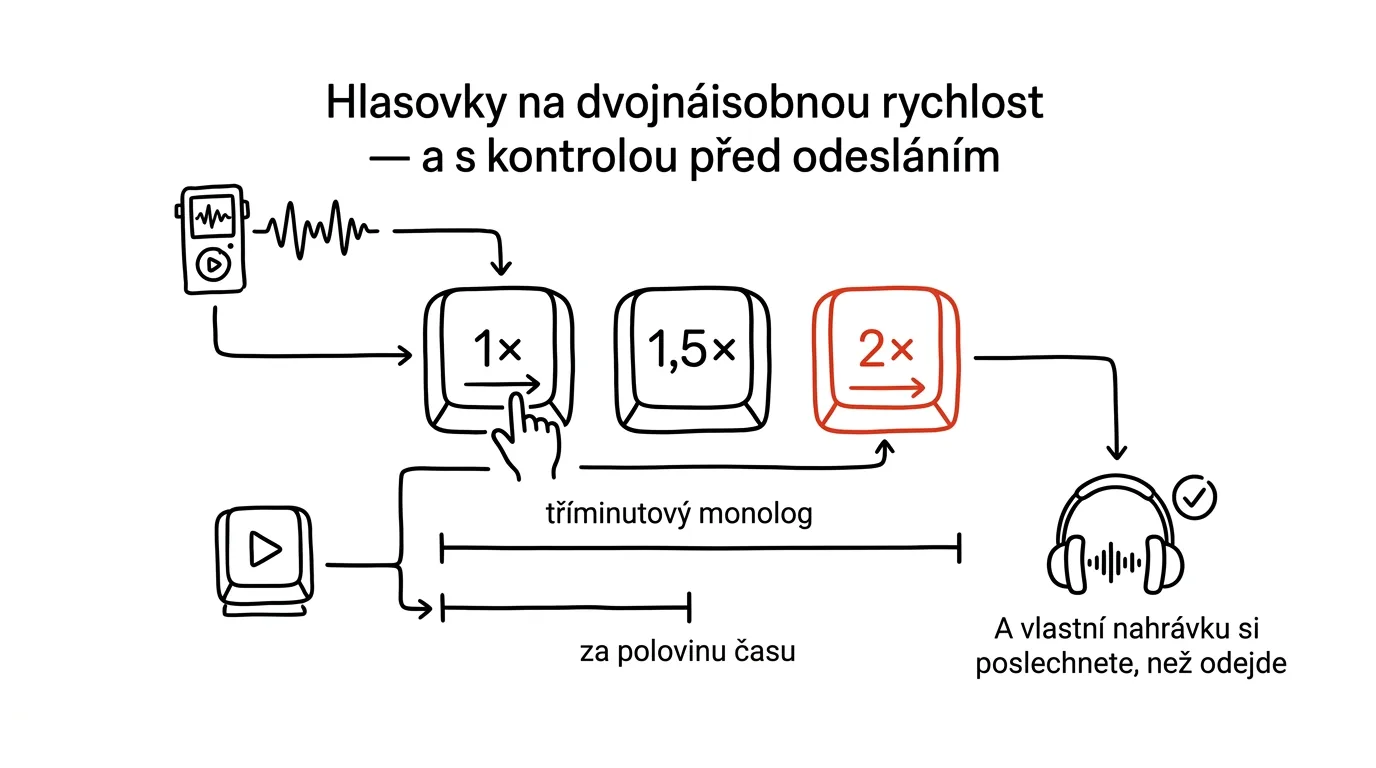
Voice messages are great for whoever sends them — talking is faster than typing. For the recipient, it's a worse deal: a three-minute monologue can't be skimmed the way text can. One small feature evens the odds: while a voice message is playing, you can tap the speed indicator and switch from 1× to 1.5× and 2×. Speech stays intelligible — we talk noticeably slower than we're able to listen — and long messages suddenly take half the time. It works in WhatsApp, Messenger, and other apps.
Just as important is the other end: you don't have to send your own voice message blind. Few people know that recording can be locked, stopped, and the message played back before you send it — no more voice messages where you fumble your words halfway through and just hope nobody notices.
How to do it
- Play a voice message and tap 1× next to the playing message — the speed switches to 1.5×, and another tap takes it to 2×.
- Need a passage again? Drag your finger along the playback indicator — you can scrub through a voice message, no need to listen from the start.
- And the reverse direction, when you're the one recording: swipe up to the lock icon while recording — recording locks and you can hold the phone normally. Then tap stop: the message doesn't send, but stays ready so you can play it back and check it. Send it with the arrow, or delete it and record a better take.
A typical scenario
A salesperson leaves a meeting and, back in the car, gets four voice messages from colleagues, ten minutes' worth in total. In the parking lot, he plays them at double speed — done in five minutes, including scrubbing back through one passage he needed to hear twice. He then dictates his own meeting summary: locks the recording, listens to the message at the end, fixes an amount he fumbled, and only then sends it.
What you get out of it
Voice messages stop being a time trap: you consume them at a listener's pace, not a speaker's. At just a few minutes of voice messages a day, that adds up to hours a month — and above all, the inner resistance of “I don't have ten minutes to listen right now,” which leaves messages sitting unheard, disappears. Checking your own recording before sending also puts an end to strings of “oh, and I also forgot…” follow-ups — one well-thought-out voice message instead of three add-ons.
Telegram and podcast apps can speed up playback too, incidentally — the habit of listening to speech at 1.5× is worth carrying everywhere people talk at length.
Pro tip
When you genuinely can't listen to a voice message (a meeting, a night with a sick kid), play it with the phone held to your ear — it plays discreetly through the call earpiece, not out loud into the room. No headphones, no stepping out into the hallway.
Want to go deeper? The handbook has a whole chapter on it — Professional email communication.
Similar tips
In-depth guide · 19 min
A Song With Your Child's Name In It: A Family Anthem and Birthday Song from AI
A complete guide with prompts: Claude writes the lyrics, Suno writes the music — a family anthem, a lullaby, a tooth-brushing song, even a birthday tradition. And it works for free, too.
A Digital First-Aid Kit: Insurance and Warranties in One Shared Folder
An insurance claim or a warranty issue comes up once a year — which is exactly why you can never find the paperwork. One cloud folder shared with your partner fixes it for good.
Dictate instead of typing: you talk 3x faster
Win+H
Win + H on Windows, or the microphone on your phone's keyboard. Dictate a first draft of an email in a third of the time.
Was this helpful?
Liked this tip?
I send one like it every week by email. Two minutes to read, hours saved.
1 tip a week · no spam · unsubscribe in one click