Tips & tricks · AI · Everywhere · ~3 h a week + less wasted food
A weekly menu with AI: from your Sunday routine to a cart filled on Rohlik.cz
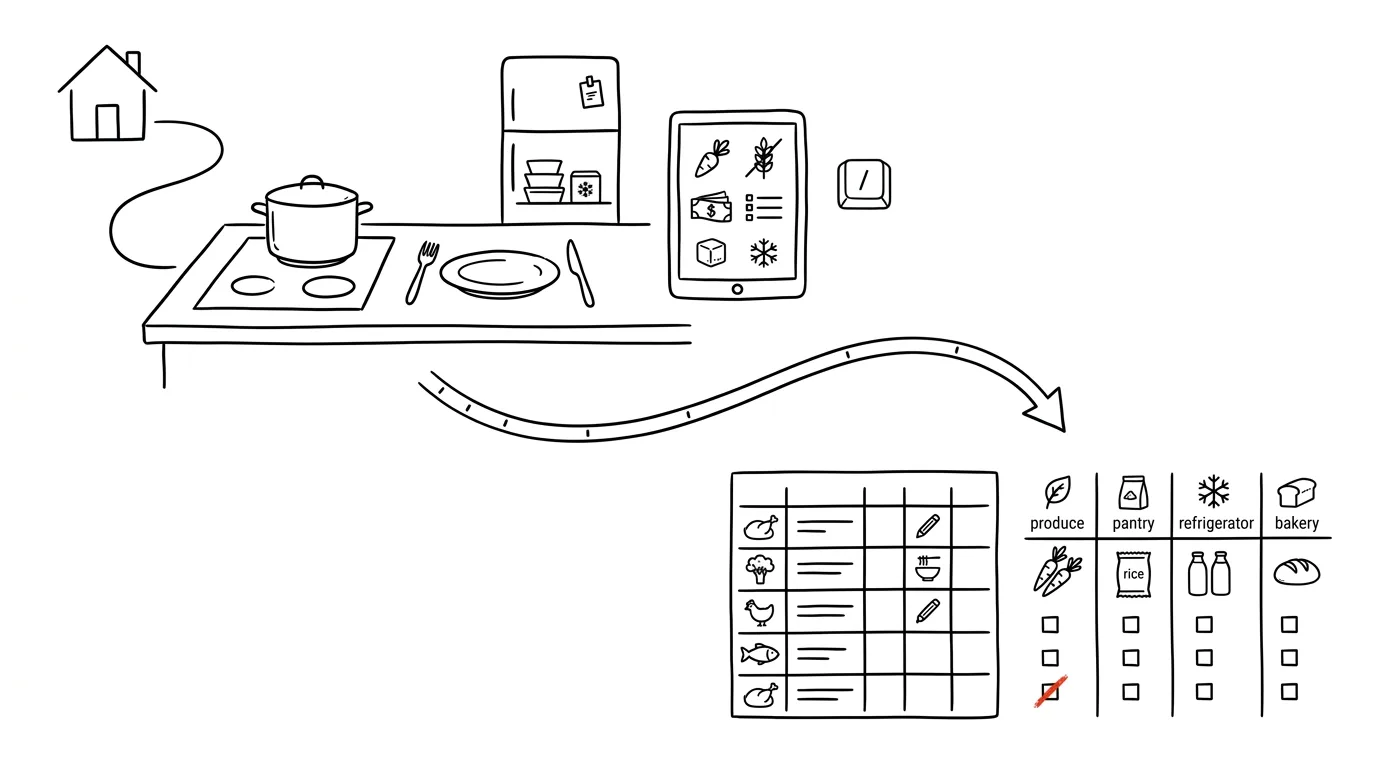
“What's for dinner?” is the most common question in any household — and every day it costs a slice of decision-making energy you'd rather spend on anything else. Yet it's a textbook task for AI: it repeats, it has clear rules, and its inputs (who eats what, how much time there is, how much money there is) change slowly. This guide builds the whole loop: on Sunday, AI drafts a menu, builds a shopping list, and fills a cart in your browser — and you make only three decisions that should stay human: what to cross out, when to have it delivered, and confirming the payment.
The guide moves through phases, and each one comes with copy-paste prompts — you just fill in the brackets. Phases 1–3 work with any AI chat; phase 4 (a shopping agent in the browser) is the cherry on top that turns the routine into something close to automatic.
A typical scenario
The Smith family: two adults, two kids (eight and eleven — the younger one won't eat mushrooms, the older one currently “hates” tomatoes), a weekly food budget of 3,500 Kč, Wednesday after-school activities — cooking capped at 20 minutes, and Saturday is when they cook properly. It used to mean daily improvising, three grocery runs a week, and Sunday-night guilt over food thrown out.
Now it looks like this: at five on Sunday, the scheduled routine sends a menu draft that already knows the household's rules. Mom crosses out one meal, writes “something with squash instead, it was on sale,” and approves it. AI builds the shopping list, subtracts what's in the pantry based on a photo, and fills a cart in the browser on Rohlik.cz — a Czech grocery delivery service; the same works with your local grocery delivery service (Instacart, Ocado, Amazon Fresh…) — 38 items in twelve minutes, with substitutions suggested for the three that were sold out. Dad reviews the substitutions (rejects one), picks Saturday-morning delivery based on the family calendar, and pays. Twenty-five minutes of human time total for the week — and by Friday, nobody's debating what's for dinner, because it's already on the fridge.
Phase 1: the household profile — write it once, use it for a year
Most people who try planning a menu with AI give up after the second week. Not because the results are bad, but because every time, you have to explain the same things again: how many of you there are, that the younger kid won't eat fish, that Tuesday means getting home at seven, and that gluten-free isn't a preference but a diagnosis. When you're typing that out every Sunday, planning takes twenty minutes instead of five — and that's exactly the line where a time-saver turns into one more chore.
The fix is to separate two things. The household profile barely changes, and you write it once. The weekly brief changes constantly and stays short (“we're out on Thursday this week, there's ground beef in the freezer”). When the profile lives in a project, Sunday's work shrinks to two sentences.
What belongs in the profile
Go through these seven areas. Each one fixes one specific mistake AI makes when it doesn't have the information:
- Who's eating. Number of people, kids' ages, and above all what they specifically refuse to eat. “Kids” is useless; “the four-year-old won't eat anything green except peas, the seven-year-old hates bell peppers and mushrooms” is a usable brief. Without it you get a menu out of a magazine, not out of your kitchen.
- Allergies and diets. Celiac disease, lactose intolerance, nuts, one member being vegetarian. Distinguish what's a medical necessity from what's a preference — the first can't tolerate mistakes, the second can bend occasionally.
- What you like to cook. Five to ten meals that work for your household. They tell AI whether you're a pot-roast-and-risotto family or a wok-and-curry one.
- Equipment. Oven, slow cooker, air fryer, pressure cooker. Without this sentence you'll get recipes for three burners running at once, even if you only have two.
- Weekly budget. A specific number. If you don't give one, the plan will drift somewhere between turkey breast and fresh salmon.
- How much time you have each day. The most valuable line in the profile. Weekdays differ by tens of minutes for most families, and a plan that ignores that falls apart by Wednesday.
- Favorite and banned ingredients. Especially “banned” — not allergies, just things that simply don't fly in your house: squash, tofu, sauerkraut, whatever it is for you.
A profile template to fill in
Fill in the brackets, leave the rest as is. Paste the text into a project (see below), not into a regular conversation.
This is our household's persistent profile for menu planning.
Use it in every conversation in this project without me having
to remind you.

Who's eating:
- adults: [number], kids: [number and ages, no names]
- what the kids reliably refuse: [list, can be long]
- who eats differently from the rest: [e.g. one vegetarian, one gluten-free]

Health restrictions (no exceptions):
- [e.g. celiac disease in one adult, lactose-free for one kid]
- [other restrictions, or write: none]

Kitchen equipment:
- [oven / slow cooker / air fryer / pressure cooker]
- [what we don't have: e.g. microwave, dishwasher]

Cooking time by day:
- Monday [minutes], Tuesday [minutes], Wednesday [minutes],
  Thursday [minutes], Friday [minutes]
- weekend: [how much, and whether we cook ahead for the coming days]

Budget:
- roughly [amount] per week for groceries
- meat no more than [number] dinners a week

What works for us:
- [5 to 10 meals we like and know how to cook]

Banned ingredients (not allergies, we just don't want them):
- [list]

Rules that always apply:
- one evening a week is leftovers, nothing new gets cooked
- no meal repeats twice in one week
- when you suggest something new, say why you think
  we'll like it

Confirm in one sentence that you have the profile, and ask about
anything that's unclear. Don't start planning until I say so.
What this does: the model confirms the profile and usually asks about two or three things you left out — typically breakfasts, kids' school lunches, or whether to plan snacks too. Add those answers straight into the profile, not into the chat. Pay attention to the template's last paragraph — without it, the model tends to start generating a menu right away, even though you didn't ask for one, and then you're fine-tuning a draft instead of the profile.
Where to save the profile
The best place is a project — a self-contained space with its own instructions that apply to every conversation inside it (how projects and persistent context work). Set up a project called “Food,” paste the profile into its instructions, and from then on it's enough to open a new conversation and type “make next week's menu.” Saved instructions or memory are an alternative if your tool has them, but a project is cleaner: the profile is visible, editable any time, and doesn't get mixed up with other work.
One thing to keep in mind about the profile. It looks like an innocent list of shopping preferences, but it's a file of sensitive data: family members' health conditions, kids' ages, an income level implied by the budget, and a schedule of who's home when. If a document like that fell out of your bag on the train, you wouldn't feel great about it. So stick to two rules: use a paid account with contractual data protection, and replace kids' names with “older” and “younger.” It makes no difference to the quality of the menu, but it makes a big difference to how much damage a leak would do.
Phase 2: a Sunday menu in five minutes
Once the profile is solid, Sunday's work comes down to three steps: send the main prompt, make two tweaks to the draft, approve it. Five minutes is a realistic estimate, not a marketing number — most of the time goes into reading the table and deciding what to cut.
The main weekly prompt
Plan our menu for the week starting [Monday's date].

The household profile from the project instructions applies.

This week, on top of that:
- we have at home and want to use up: [ingredients from the fridge, freezer, pantry]
- exceptions in the schedule: [e.g. we're visiting someone Thursday, not cooking]
- craving: [anything specific, or write: nothing specific]

How to plan it:
1. Chain meals together so ingredients get used more than once.
   Classic example: roast chicken on Sunday, soup from the carcass
   and leftover meat on Monday. I want to see at least two pairs like that.
2. Respect the season — it's [month], plan from what's common
   and cheap right now where we are, not tomatoes in January.
3. Match difficulty to the day using the times in the profile. On a
   weekday where I have 20 minutes, the meal should really take
   20 minutes including cleanup, not in theory.
4. Make one meal this week new — something we haven't cooked before.
   Put it on the day we have the most time.
5. Leave one evening for leftovers, nothing new gets cooked.

Give the output as a table with columns:
day | meal | prep time | note

In the note, write what gets used from what, what can be prepped
ahead, and what needs to come out of the freezer a day early.
Below the table, write three sentences: what's the weak point of
this plan.
What you get: a seven-row table where the times actually hold up and the ingredients connect. The closing note about the weak point is quietly the most useful part — the model will admit on its own that “Wednesday's meal has no vegetables” or “Friday only works if you make it to the store,” and you know where to look. Watch out for this: prep-time estimates tend to run about a quarter optimistic, especially for meals with a lot of chopping. Before you approve the plan, add ten minutes to the weekday times and ask yourself if it still adds up.
Iterating: three sentences that fine-tune the plan
Never treat the draft as final. Three or four tweaks are normal, and they take a minute.
Swap out Tuesday. That creamy sauce doesn't work for us on a
weeknight, I want something lighter and faster. Don't put broccoli
in the plan at all — the kids won't eat it, we've tried four times.
Leave the rest of the week unchanged, and make sure the new option
still fits the ingredients we're already buying according to the plan.
The last sentence is the key one. Without it, swapping out Tuesday tends to add three new one-off ingredients to the list, and the weekly shop grows. And do one more thing: write the note about broccoli into the profile in the project, or you'll be crossing it out again next Sunday.
Make a version of this menu that's roughly 20% cheaper. I don't
want to skimp on portions or drop the vegetables — look for savings
in what you substitute for meat (legumes, eggs, cheaper cuts), and
in getting an ingredient used across two meals instead of one. For
each change, note roughly how much it saves and what I'm giving up
for it.
You'll get back a revised table plus a short list of changes with estimates. The prices are approximate and drift over time, so treat them as a ranking, not a budget — “swapping turkey breast for lentils saves the most” still holds even if the exact figure is only roughly right.
Add work lunches to this menu for Monday through Friday for [number]
people. Conditions: it must be possible to prep the evening before
or make it from that day's leftovers, it must hold up until noon
without a fridge [or: there is a fridge], and it can't be the same
thing five days in a row. Add them to the table as another column
and note what needs to be bought extra because of them.
This is the most common extension, and also the place where planning from what you have pays off the most — a well-designed lunch is essentially yesterday's dinner leftovers by design, so it adds almost nothing to the shopping list.
A scheduled task: so it happens without you
Once a prompt works, there's no reason to send it by hand. Set up a scheduled task that runs every Sunday at five in the afternoon and prepares the menu on its own — into the chat or by email, depending on what your tool supports. Then on Sunday evening, you just open the finished draft, cross something out, and approve it.
Set up a recurring task for every Sunday at 5:00 PM.

Each time it runs:
1. Use the household profile from this project's instructions.
2. Plan the menu for the following Monday through Sunday according
   to the rules we agreed on (ingredient chaining, seasonality, time
   by day, one new meal, one leftovers evening).
3. Take the time of year into account based on the current date.
4. Send the output as a table: day | meal | time | note.
5. Below the table, attach a shopping list sorted by category.
6. At the end, write two questions you need my answer to (what we
   have at home, whether we're away anywhere this week).

Don't plan anything on the profile's list of banned ingredients.
This is the step where the tip turns into a system — the fourth level of working with AI from the chapter on AI and automation. One thing to watch: the task runs without you, so it doesn't know what you have at home. That's what point six is for — the draft is always provisional and expects you to fill it in with one sentence on Sunday evening. If you want accuracy, answer it; if you don't feel like it, the plan mostly holds up anyway.
Phase 3: a shopping list that thinks about what you already have
A menu without a list is only half the job. The other half is tedious — going through seven recipes, adding up onions, remembering that the oil ran out — and that's exactly why a machine should do it.
The prompt for a list from the menu
Turn that menu into a shopping list.

Rules:
1. Merge identical ingredients across all meals into a single line.
2. Split the list into categories in this order:
   bakery, produce, dairy and eggs, meat and fish,
   pantry and spices, frozen, household and drugstore.
3. Give quantities in the units they're actually sold in.
   Not "2.3 onions" but "onion, 3." Not "180 g cream"
   but "cream, 1 pack (200 ml), some left over."
4. When an ingredient appears in only one meal and isn't used
   otherwise, mark it with an asterisk — so I can see what I'm
   buying for one-time use.
5. Put pantry staples (salt, oil, flour) in a separate line at
   the end as a question — "did we run out?" — not as items to buy.

At the end, write an estimated total price and flag the items
that push the cost up the most.
You get a list you can take to the store exactly as it is. The asterisks on one-off ingredients are a small thing with a big effect: they're usually exactly the items that push the weekly shop over budget, and seeing them together makes it easy to swap out one meal. Don't skip point three — without it you get a list in grams copied straight from recipes, which is useless in a store.
Checking supplies from a photo
This is where you save the most, and it costs fifteen seconds. Open the pantry or fridge, take a photo, and send it into the conversation.
Here's a photo of the [pantry / fridge / freezer]. Read what's
in it and compare it against the shopping list above.

Do three things:
1. Cross off the list anything the photo shows we already have
   at home, and list separately what you crossed off.
2. When you're not sure about something, don't guess — ask me.
3. If you see something in the photo that's close to its use-by
   date or hasn't been used in a while, suggest which meal from
   the menu it could go into.
Claude can read what's in photos, so it recognizes labels, cans, and the contents of shelves. The third point is the bonus that pays off the most: a forgotten can of coconut milk turns into a curry instead of more wasted food. Watch out for this: what's visible in the photo isn't the same as what's in the pantry — the model can't see the bottom shelf or closed boxes, so double-check the crossed-off items yourself. And the second point about guessing is there on purpose; without it, the model sometimes credits a shelf with more than it actually holds.
Two formats, because you shop two different ways
You need the same list in fairly different shapes depending on whether you're walking into a store or ordering online.
Give me the finished list in two versions.

Version A — for the store:
sort items in the order I walk through the store:
[write your order, e.g. produce, bakery, dairy, meat,
pantry, frozen, household]. Short lines, no explanations,
so it reads easily while walking. Ideally as a checklist.

Version B — for the online store:
a table with columns
item | what to search for | quantity | note.
In the middle column, write exactly what I should type into
the store's search box so it finds the right thing on the first
try (e.g. instead of "cream," write "heavy whipping cream 33%").
Version A is the classic shop: one pass through the store, no doubling back to produce because you forgot the peppers. Version B looks pointless until you actually use it — the “what to search for” column is the difference between fifteen minutes of clicking and five, because online stores return nonsense for generic terms. And it's also groundwork for the next phase: this structured format is exactly what you need once you want to have the list transferred into an online cart semi-automatically, which is the subject of the next section.
Phase 4: Claude fills the cart — you confirm the payment
This is where a smart list turns into a real evening saved. Up to this point, you've gotten text: a menu and items sorted by aisle. Someone checks it off in the store, someone else retypes it into an online cart — and that retyping is the most tedious part of the whole process. Forty items, choosing a size for each, comparing packages, finding out three are out of stock and hunting for a substitute. It takes twenty to thirty minutes and creates zero value.
This is exactly the part a machine can take over. The rest — money, delivery time, the final yes — stays yours, and that's not just caution. It's the line this entire site is built on.
What “an agent in the browser” means
Besides writing text, Claude can also control a web browser — with the Claude extension for Chrome, it sees the page you have open and can click on it, type into the search box, browse results, and add things to the cart. There's no API hookup into the store here: it does it the same way you would, just faster, and without losing interest after the twentieth item.
In practice it looks like this. Open Rohlik.cz, Kosik.cz, or iTesco — Czech grocery delivery services; the same principle works with your local grocery delivery service too (Instacart, Ocado, Amazon Fresh…) — log in yourself, launch Claude, and hand it the list. Then you watch the browser window move on its own: it searches “loose carrots,” picks a package, adds it to the cart, moves to the next line. You watch the whole thing on screen and can step in at any point — stop it, override a choice, correct its direction.
That visibility isn't a minor detail. An agent working somewhere in the background is a black box; an agent you're watching over the shoulder is a tool. The first time, watch it closely from start to finish so you know what it's doing.
Division of labor: the machine searches, the human pays
It pays to name the line in advance — because then you don't have to think it through at every single step.
What the machine does (mechanical work): find forty items in search, match each one to a specific product, compare package sizes and work out how many packages are needed, notice when something's out of stock and pick the closest substitute, keep track of the running cart total.
What the human does (every decision involving money): approve substitutions, check quantities, pick a delivery slot based on the family calendar, and above all, confirm the payment.
That gives you a rule with no exceptions: never give the agent saved payment details, and never let it complete the order. Not because it couldn't handle it technically, but because a mistake in the final step costs money and is hard to undo. A badly chosen substitute in the cart is a second's work to fix; a badly submitted order for 3,200 Kč is a phone call to customer service.
The prompt for filling the cart
You give this prompt with the online store open and already logged in. Paste the whole list from phase 3 into it — including the categories, that's fine, it makes the agent's job easier.
Here's my shopping list for this week:

[paste the whole list from phase 3, including quantities]

I have rohlik.cz open and I'm logged in [or: your grocery delivery
site]. Fill the cart according to the list:
- For each item, prefer [store brands / organic / specific brands I buy]
  and take the cheapest option that matches.
- Watch package sizes: if the list says "carrots, 1 kg" and the pack
  is 500 g, add two.
- If an item is out of stock or you can't find it, pick the closest
  reasonable substitute and make a note of it. If no substitute makes
  sense, skip the item and tell me.
- Watch the budget: [X]. If you go over it while filling the cart,
  don't cut anything on your own — finish filling the cart, then
  suggest what to cross out or swap so we fit the budget.
- DO NOT PROCEED to checkout. Don't pick a delivery time, don't enter
  payment. Stop at the cart.

When you're done, tell me:
1) a cart summary — number of items and total price,
2) a list of ALL substitutions with the reasoning for each one,
3) items that couldn't be found at all.
You get back a filled cart and a text summary you can read in two minutes. The most important instruction is the second-to-last one: stopping at the cart has to be spelled out explicitly in the prompt, capital letters and all — that's the sentence that separates a helper from a problem. The first time can easily take twenty minutes, because the agent searches slowly and you're watching it; treat the first run as a trial.
Checking the cart: this is where dinner gets decided
When the agent finishes, your part begins. It isn't long, but it can't be skipped.
Go through the substitutions. This is the single most important point in the whole phase. A substitution isn't just a different package — it's a different dinner. If cooking cream lands in the cart instead of whipping cream, the sauce won't curdle, but there's no dessert. If regular semolina pasta lands instead of gluten-free, that's a health problem for someone with celiac disease, not an inconvenience. That's why you have the substitutions listed separately with reasoning: you read ten lines instead of scanning forty items.
Check the quantities. The classic trap is mixing up units and pieces and miscalculating package counts. Ten bell peppers instead of one kilogram looks unremarkable in the cart, less so on the receipt. Check fresh items especially, where things are counted by weight.
Pick the delivery slot yourself. Don't hand this to the machine even if it can do it. Delivery time is family logistics — who's home, when's the after-school activity, whether it clashes with an afternoon shift. And delivery pricing can easily vary by a hundred crowns between slots.
Confirm the payment. The last click is yours, with your eyes open, after looking at the total. If it checks out, you continue. If it doesn't, you go back into the cart and start cutting.
A second prompt: what it would cost elsewhere
Once the list is ready, comparing prices is almost free — it's the same mechanical work, just on a different site.
Open kosik.cz [or your second grocery delivery option] (I'm logged
in) and fill a second cart from the same list — same rules as before,
same brand preferences, a substitution with a note for anything
unavailable.

Again: DO NOT PROCEED to checkout, stop at the cart.

When you're done, compare the two orders for me:
- total price of goods for each,
- delivery cost for [day and approximate time] I want it delivered,
- the resulting difference including delivery,
- which specific items account for most of that difference,
- where availability differed (what one has that the other doesn't).
You get a comparison that finally shows you whether the difference is a few crowns (in which case it doesn't matter, and it's just habit) or two hundred crowns a week, which is ten thousand a year. Watch the delivery cost: without it, the comparison is worthless, because free-delivery thresholds and surcharges on popular slots often flip the difference the other way. And don't do this every week — once every two or three months is enough, prices don't reshuffle that fast.
When the agent gets stuck
The first time, something snags almost every time. That's not a malfunction, it's normal operation.
- You handle logging in. Don't give the agent a password or let it fill out a login form. Log in beforehand, ideally with an active “remember me,” and only then let it start working.
- You solve the captcha. When an “I'm not a robot” check pops up, solve it by hand and tell the agent “done, continue.” Don't try to get it to power through automatically.
- Pop-ups and cookie banners. Sometimes the agent gets tangled in a modal with a promotional offer. Close it and send “I closed that window, you're on the cart page, continue with item [name].”
- It wanders in search. When it can't find something specific, a concrete instruction helps: “search for [exact name], it's in the [category] category.” Or just add that one item yourself — it's faster than explaining.
- It's slow. The first shop takes the longest, because the machine is feeling its way through an unfamiliar site and you're checking every step. The second time, you already know the prompt wording too, the list has a stable shape, and it becomes a five-minute check.
The security minimum
An agent in the browser acts under your logged-in account. Everything it does looks, from the store's point of view, like your own action — it has your address, your order history, and potentially your saved payment methods too. That comes with a few things that aren't suggestions, they're conditions.
Watch it. Don't start the shop and go off to cook; the browser window is your feedback loop and your only safeguard. Don't keep a card saved on the account without 3D Secure confirmation — the confirmation in your banking app is the last place an unwanted payment can be stopped. And hold to the rule this site keeps coming back to, except here it applies completely literally: AI proposes, the human approves. In the cart, the machine proposes; on the “pay” button, it's a human.
Phase 5: closing the loop — what got eaten, and for how much
Most people stop at phase 4 and then wonder why, a month in, the menu is still a bit off. What's missing is the last step: telling the system how it turned out. Without feedback, you keep generating equally good (and equally inaccurate) drafts forever.
Sunday feedback: two extra sentences
The routine from phase 3 doesn't have to change — you just add a short note every Sunday about what happened. It takes half a minute, and it's the one part nobody can do for you, because only you know what ended up in the trash.
Before you make next week's menu, update our family profile based
on how last week's went:

- Didn't get eaten: [what was left over and thrown out, and why if known]
- The kids refused: [meal, and specifically what was wrong with it]
- Actually worked well: [meal we want to repeat]
- Time estimate was off for: [meal that took noticeably longer]
- We ended up eating out or ordering in [X] times, because [reason]

Rewrite the updated profile the way I should save it in the project:
add the rules that follow from this (like "legumes at most once a
week" or "Wednesday's meal under 20 minutes"), and leave the rest
unchanged. Just list what you decided to change, and why.
You get back an updated profile you swap into the project, plus a short list of changes — read it, because sometimes the machine turns one bad dinner into too rigid a rule. The key is that it doesn't learn from vague impressions but from concrete sentences: “didn't get eaten” is more usable feedback than “it was kind of meh.”
Monthly review: what food actually costs
Once a month it's worth looking at the money, because unlike a physical store, an online store keeps a complete history. Download the invoices or order overview and combine it with the approach from personal budget from a bank statement — the “food” category almost always turns out to be two different numbers that behave completely differently.
I'm attaching the order history from the online store for [period]
and the bank statement for the same period. I'm interested in food:

1) How much we spent on groceries (online store + physical stores).
2) How much on food delivery and restaurants — list separately.
3) The average price of one big grocery shop and how it changed week
   to week.
4) How much one home-cooked day costs us versus one ordered-in evening.
5) The trend over the last [number] months: which part is going up or
   down?

Don't estimate missing figures — tell me what's missing instead.
You get back a breakdown that usually surprises you — not because of how big the grocery shops are, but because of the ratio between cooking and ordering in. That's also the one number that justifies this whole routine: if planning cuts out two deliveries a month, it's already paid for itself. Financial data belongs in a paid account with contractual data protection, and delete the account numbers from the statement first.
Where this can grow
Once you've got the “profile plus browser agent” pair dialed in, it's a template, not a one-off trick. The same principle — the machine clicks, the human pays — works for drugstore items (where it repeats even more and involves even fewer decisions), restocking the medicine cabinet, pet food and litter, office supplies. The process is identical every time: write down once what you buy at home and in which brands, save it as persistent context, then just send the agent the list. The first shop is the hardest; every one after that is a copy.
Common mistakes
- Letting the agent complete the payment. The most expensive mistake of all, and the only one that can't be undone with a single click. The sentence “don't proceed to checkout” belongs in every prompt, a saved card without 3D Secure doesn't belong on an account the agent uses, and the last click is a human's. Always.
- Not checking the substitutions. The substitution list isn't a formality — it's the one place where something decided the contents of your plate on your behalf. With allergies and diets, it's a health question, not a taste one. Ten lines, two minutes, no exceptions.
- A profile with no budget. When the brief has no number in it, you get a menu of nice recipes with shrimp, duck breast, and fresh cilantro. It's not bad, it just costs twice as much as last time. The budget is what turns a draft into a plan.
- Planning seven dinners for a family that eats out twice a week. Then two meals go uneaten, the ingredients get thrown out, and it feels like the planning isn't working. What actually failed was the brief: put how many evenings you really cook into the profile, and plan for those.
- Giving up after the first week the plan doesn't fit. The first menu is a strange machine's guess about your family, and it'll be off. The second will be a bit better, the fourth will fit. This whole routine runs on a loop — and a loop only proves itself after a few rounds, not after one.
The best tools
- Claude with a Project and a scheduled task — a household profile as persistent context, a Sunday routine that sends the draft on its own.
- The Claude extension for Chrome — an agent that fills a cart on an online store from the list; you watch, approve, and pay.
- Rohlik.cz / Kosik.cz — Czech online supermarkets with delivery, used here as the running example; the agent handles search, substitutions, and budget-tracking just as well on your local grocery delivery service (Instacart, Ocado, Amazon Fresh…).
- Your phone's camera — a shot of the pantry and fridge before shopping: AI crosses off what you already have, and you stop buying a fourth jar of mustard.
What you get out of it
- Time: three grocery runs a week and daily improvising shrink to ~25 minutes on Sunday.
- Money: a menu with a budget and a list built from what you have mean fewer impulse buys and less wasted food — commonly hundreds of crowns a week for a family of four.
- Peace of mind: the question “what's for dinner” already has an answer by Sunday — and your decision-making energy is left for things that matter more.
Pro tip
Have it suggest one meal every week that you've never cooked — using ingredients that are already in the cart anyway. A routine tends to converge on the same ten tried-and-true meals; one experimental meal a week keeps it alive, and the kids occasionally surprise you with what they actually like. And the rule over this entire guide applies completely literally: AI proposes, the human pays. The agent never gets saved payment details or the authority to complete an order — the last click at checkout is yours.
Want to go deeper? The handbook has a whole chapter on it — AI and automation.
Similar tips
“Explain it to me like…” — AI as a private tutor
A complete guide with prompts: explanations tailored to your level, the Feynman technique with AI, generating test questions from your own notes, step-by-step worked examples, and an exam study plan. Including the biggest trap of all — the illusion of understanding.
A Bachelor's Thesis with AI: The Complete Honest Workflow from Assignment to Defense
A comprehensive guide with 30+ concrete prompts: from the research question through literature review in NotebookLM and data analysis with Python scripts to typesetting, a simulated opponent, and a pre-submission checklist. The thinking stays yours — AI handles the mechanics.
A custom travel itinerary: day by day, without hours of planning
A complete guide with copy-paste prompts: from a constraints-based brief through a day-by-day itinerary with transfer times and a rainy-day plan B, to a booking checklist, verifying opening hours at the source, and sharing the plan with family.
Liked this tip?
I send one like it every week by email. Two minutes to read, hours saved.
1 tip a week · no spam · unsubscribe in one click